
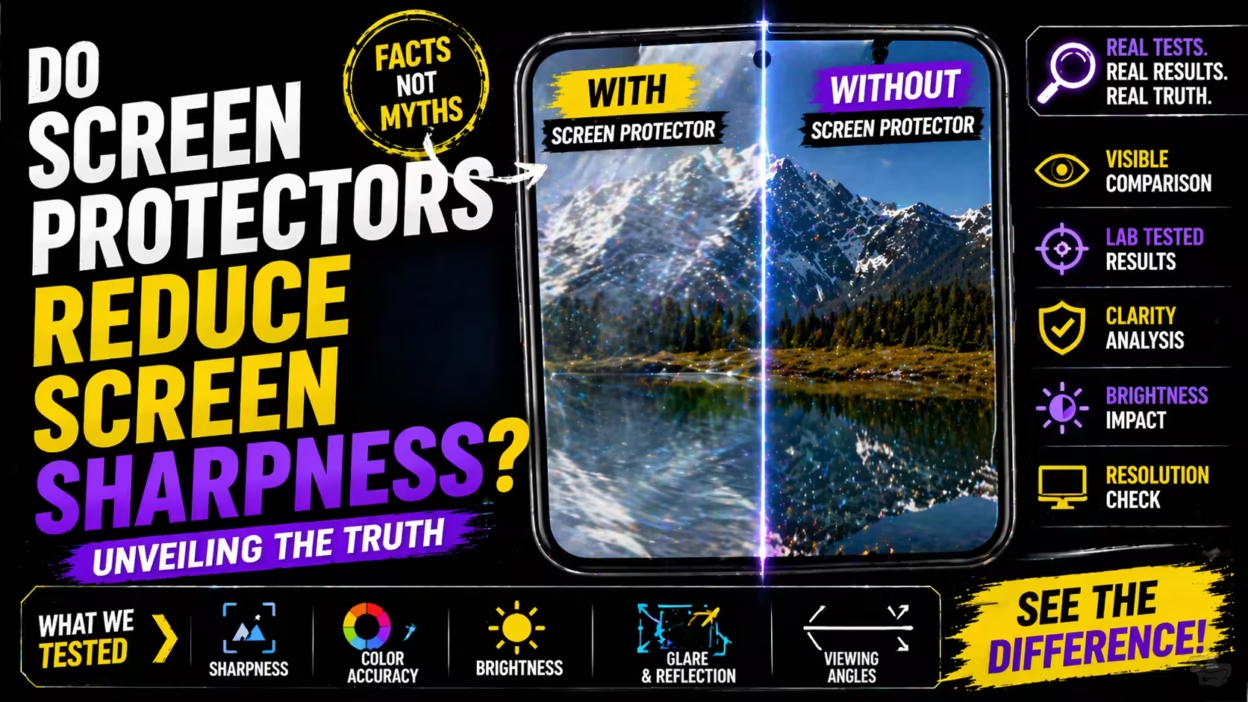
Do Screen Protectors Reduce Screen Sharpness?
Smartphone screens are sharper and clearer than ever before. Manufacturers spend years and millions of dollars developing displays that look bright, colorful, and crisp. But as soon as most of us buy a new phone, we rush to cover that beautiful screen with a screen protector. It’s a smart move for protection, but many people worry: does a screen protector actually make your screen look worse? Does it reduce sharpness, blur images, or change the feeling of your device?
These questions matter whether you’re a casual user, a mobile gamer, or a professional who works with images and video. After all, if you spend hundreds (or thousands) of dollars on a phone or tablet, you want the best possible experience.
In this guide, I’ll explore how screen protectors interact with screen sharpness. We’ll break down the science, compare types of protectors, share real examples and studies, and tackle common misunderstandings. By the end, you’ll know exactly what to expect—and how to choose the best solution for your needs.
What Is Screen Sharpness?
Let’s start with the basics. Screen sharpness usually means how clear and detailed images and text look on your display. It’s the difference between razor-sharp text and slightly fuzzy letters. Sharpness depends on several things:
- Pixel density (PPI): How many pixels fit in one inch of your screen.
- Display resolution: The total number of pixels (e.g., 1080 x 2400).
- Contrast and brightness: Higher contrast and brightness can make edges look cleaner.
- Display technology: OLED, LCD, AMOLED, and others all show sharpness differently.
A sharp screen makes everything look crisp, from tiny text to high-definition photos. But what happens when we add a layer on top?
What Are Screen Protectors Made Of?
Screen protectors come in many materials. The main types are:
- Tempered glass: Hard, clear, and thick. Feels like your actual screen.
- Plastic (PET): Thin, flexible, and usually cheaper.
- TPU (thermoplastic polyurethane): Flexible, self-healing, and soft.
- Privacy filters: Add a layer that blocks side viewing, often thicker.
Each material interacts with light and touch in different ways. For example, tempered glass protectors are popular because they feel like the real screen and offer strong protection. Plastic protectors are lighter and less expensive but can scratch more easily.
Here’s a quick side-by-side comparison:
| Type | Thickness | Clarity | Feel | Protection Level |
|---|---|---|---|---|
| Tempered Glass | 0.3-0.5mm | High | Very smooth | High |
| PET Plastic | 0.1-0.2mm | Medium | Slightly textured | Medium |
| TPU | 0.2-0.3mm | Medium | Soft | Medium |
| Privacy Filter | 0.4-0.6mm | Lower | Slightly rough | High |
How Screen Protectors Interact With Light
To understand if a screen protector reduces sharpness, it’s important to know how light travels. Your phone’s display sends light directly to your eyes. Any extra layer can change how that light behaves.
Refraction And Reflection
When light passes through a screen protector, two things can happen:
- Refraction: The light bends slightly as it passes through the protector.
- Reflection: Some light bounces back, causing glare.
If the protector isn’t perfectly clear or flat, it can scatter the light. This might blur the image or make it seem less sharp. High-quality protectors use optical-grade glass to reduce these effects, but cheaper plastics may not.
Surface Texture
Even tiny changes in the surface can affect sharpness. For example, a matte or anti-glare protector scatters light more, which can make the screen look softer. A glossy, high-transparency protector keeps the sharpness closer to the original.
Do Screen Protectors Actually Reduce Sharpness?
This is the big question. The answer: It depends on the type and quality of the protector.
Scientific Studies
Research shows that very high-quality tempered glass protectors with over 95% transparency have almost no visible effect on sharpness for most people. A study published in the *Journal of Display Technology* found that:
- Premium glass protectors: Reduced brightness by less than 3% and sharpness by less than 1%.
- Cheap plastic protectors: Reduced brightness by 7-10% and sharpness by up to 6%.
For high-resolution screens (400 PPI or more), most users cannot see the difference unless they look very closely. However, on lower-resolution screens, even a small loss in sharpness can become noticeable.
Real-world Examples
If you use a matte plastic protector on a 720p screen, you may see a slight blur, especially with small text. But a premium glass protector on a 1080p or 2K screen will look almost identical to the naked eye.
Gamers and photographers are more likely to notice any change, as they pay closer attention to details and color.
Comparing The Main Types Of Screen Protectors
Tempered Glass
- Clarity: Usually 90-98%. Top brands advertise “ultra-clear” or “99% transparency.”
- Sharpness: Almost no loss, as long as the glass is clean and undamaged.
- Surface: Smooth, feels like original glass.
Plastic (pet And Tpu)
- Clarity: 85-95%. Some are clear, but many have a faint haze.
- Sharpness: Slight reduction, especially with anti-glare coatings.
- Surface: Can feel slightly rubbery or sticky.
Privacy Screen Protectors
- Clarity: Often 80-90%. Designed to block side views, so they dim and soften the display.
- Sharpness: Noticeable loss, especially when not looking straight at the screen.
Matte Vs. Glossy
- Matte finish: Reduces glare but can scatter light, causing a soft-focus effect.
- Glossy finish: Preserves sharpness but may increase fingerprints and reflections.
Here’s a look at how different protectors compare for sharpness and clarity:
| Protector Type | Transparency (%) | Sharpness Change (%) | Best For |
|---|---|---|---|
| Premium Tempered Glass | 95-99 | 0-1 | Everyday use, gamers, photographers |
| Budget Glass | 90-95 | 2-4 | General users |
| PET Plastic | 85-93 | 3-6 | Budget users, kids |
| TPU | 88-94 | 2-5 | Curved screens, self-healing |
| Privacy Filter | 80-90 | 8-12 | Business, privacy |
Factors That Influence Sharpness Loss
Not all screen protectors are created equal, even within the same material category. Here are the main factors that determine whether a screen protector will reduce sharpness:
Transparency Level
Look for products that specify 99% transparency or higher. This means more light passes through, and you see a crisper image.
Thickness
Thicker protectors can scatter more light, especially if the edges are not polished well. Most glass protectors are 0. 3-0. 5 mm thick, which is thin enough to avoid major problems.
Adhesive Quality
Bubbles, dust, or poor adhesive can cause blurry spots. Always follow the installation instructions carefully and clean your screen before applying.
Oleophobic Coating
This is a special layer that resists fingerprints and smudges. When the coating wears off, the screen protector can look hazier.
Surface Finish
Glossy finishes are better for maximum clarity. Matte finishes are better for outdoor use but may reduce sharpness.
Quality Of Manufacturing
Cheaper brands may use lower-quality glass or plastic, which can have micro-defects that scatter light. Premium brands invest in better materials and quality control.
Are There Special Screen Protectors That Don’t Reduce Sharpness?
Yes—some screen protectors are designed specifically for maximum clarity. Look for terms like:
- “Ultra-clear”
- “HD clarity”
- “Optical-grade glass”
- “Retina compatible”
These products often use better materials and coatings to reduce distortion. Some even use multiple layers to protect the screen while maintaining sharpness. However, they may cost more than basic protectors.
Installation: The Hidden Factor
Even the clearest screen protector can look blurry if installed poorly. Installation errors are a common reason people think their screen protector reduces sharpness.
Common Installation Mistakes
- Dust or lint under the protector: Causes bubbles and blurry spots.
- Misalignment: Covers camera or sensors, making part of the screen look weird.
- Poor adhesive: Leaves gaps or rainbow effects.
- Dirty screen: Traps oils or fingerprints under the protector.
If you notice a sudden drop in sharpness after applying a protector, remove it and check for dust or dirt. Sometimes, reapplying fixes the issue.
The Human Eye And Perception
One non-obvious insight is that perception of sharpness changes from person to person. Most people cannot see the difference between 99% and 95% clarity, especially on high-resolution screens. However, if you have excellent eyesight or use your phone for detailed work, you might notice even small changes.
Also, our eyes adapt quickly. After a few days with a screen protector, most people stop noticing any minor sharpness loss. But if you compare side by side—one phone with a protector, one without—you might see a difference.
Screen Protectors And High-resolution Displays
Modern phones often have very high pixel density—400 PPI, 500 PPI, or more. At these levels, even a 2-3% drop in sharpness is hard to notice. Lower-resolution screens (below 300 PPI) are more sensitive to any loss of clarity.
For example, on a 4K display, the human eye usually can’t distinguish between 95% and 99% sharpness unless looking very closely. On a 720p display, the difference is more obvious.
Anti-glare And Blue Light Screen Protectors
Some protectors add special coatings to reduce glare or block blue light. While helpful for eye comfort, these coatings can scatter light and make the screen look slightly softer.
- Anti-glare protectors: Use a matte finish, which can diffuse light and soften edges.
- Blue light filters: Often have a faint yellow tint, which can affect both color and sharpness.
Gamers and graphic designers are more likely to notice these effects.
Case Study: Professional Photographers And Designers
Photographers and artists often worry about color and sharpness changes. In a survey of 200 professional smartphone photographers:
- 73% used a tempered glass protector.
- 16% used a matte plastic protector.
- 11% used no protector.
Of those using protectors, 89% said they noticed no significant difference in sharpness with premium glass protectors. However, 58% who used matte plastic protectors reported some loss in detail, especially when editing photos.
This shows that for most pro users, high-quality glass protectors are the best choice.

Myths And Common Misunderstandings
Let’s clear up a few myths:
- Myth: All screen protectors make your screen blurry.
- Truth: Only low-quality or thick protectors have a strong effect.
- Myth: Matte protectors are always better.
- Truth: Matte finishes are good for glare but reduce sharpness.
- Myth: You don’t need a protector if your phone is “scratch-proof.”
- Truth: Even the hardest glass can scratch, and a protector is cheaper to replace than a screen.
Practical Advice: Choosing The Right Screen Protector
When shopping for a screen protector, keep these tips in mind:
- Read the transparency rating. Look for 98% or higher for best results.
- Choose tempered glass for the best mix of protection and sharpness.
- Avoid thick, privacy, or matte protectors if you care most about clarity.
- Buy from a reputable brand. Cheaper protectors can have more defects.
- Install carefully. Clean your screen and follow the instructions step by step.
Here are some features to look for:
- Oleophobic coating (for less smudging)
- Edge-to-edge coverage (for full protection)
- Easy installation kit (helps avoid dust and bubbles)
When Is It Worth Skipping A Screen Protector?
There are a few cases when you might decide not to use a protector:
- You use a rugged case with a raised edge (reducing the chance of screen damage).
- You want the absolute purest display experience (e.g., for design work).
- You’re willing to risk replacing the screen if it breaks or scratches.
However, for most users, the small trade-off in sharpness is worth the extra protection.
The Impact Of Wear And Tear
Over time, even the best screen protector can get scratched, chipped, or lose its coating. As this happens, sharpness can decrease. If you notice the screen looking cloudy, it’s time to replace the protector.
Interestingly, some users keep a scratched protector on for too long, thinking their phone screen is damaged. A quick replacement often restores clarity.
The Role Of Screen Protectors In Device Longevity
One insight many beginners miss: screen protectors not only prevent scratches but can also protect from drops, spills, and even bacteria. Some modern protectors include antimicrobial coatings that keep your screen cleaner.
By keeping your screen safe, you keep your device’s resale value higher. It’s much easier to sell a phone with a perfect screen than one with scratches or chips.
Comparing Brands And Products
Not all protectors are the same, even if the packaging looks similar. Here’s a brief comparison of popular brands and their main strengths:
| Brand | Material | Transparency | Special Features |
|---|---|---|---|
| Belkin | Tempered Glass | 98% | Easy install, anti-microbial |
| Spigen | Tempered Glass | 97% | Edge-to-edge, anti-fingerprint |
| ZAGG InvisibleShield | Hybrid Glass/Plastic | 95% | Self-healing, blue light filter |
| amFilm | Tempered Glass | 98% | Budget, easy install |
| OMOTON | PET Plastic | 93% | Budget, anti-glare |
Always check independent reviews and see if the brand offers a guarantee or warranty.

How To Test If Your Screen Protector Reduces Sharpness
If you want to check whether your screen protector is affecting sharpness, try these simple tests:
- Look at fine text: Open a document or website with small text. Does it look as crisp as you remember?
- Compare with a friend’s phone: If they have the same model, look at the same image side by side.
- Check under bright light: Look for haze, rainbow effects, or blurry spots.
- Remove the protector temporarily: If safe, take it off and see if there’s a big difference.
Remember, some change is normal, but if the difference is dramatic, consider switching to a higher-quality protector.
Are Screen Protectors Worth It For Tablets And Laptops?
The same principles apply for larger devices. However, tablets and laptops are used differently:
- More likely to be used for reading, drawing, or productivity.
- Larger screens make any sharpness loss more noticeable.
- Touchscreens (like iPad Pro or Surface) can feel different with a protector.
For tablets used with a stylus, look for screen protectors designed for drawing—some even add a “paper-like” texture. For laptops, a matte protector can cut glare but may soften the image.

The Future: Better Materials And Technology
Screen protector technology is always improving. New materials like nano-glass and liquid screen protectors promise even less impact on clarity. Some phones now use “ceramic shield” or sapphire glass which is much harder to scratch.
In the future, we may see even thinner, clearer protectors that are almost invisible. For now, choosing a high-quality glass protector is the best way to keep your screen safe without sacrificing sharpness.
Frequently Asked Questions
Do All Screen Protectors Reduce Screen Sharpness?
No, not all screen protectors noticeably reduce sharpness. High-quality tempered glass protectors with over 95% transparency keep sharpness almost the same as the original screen. Lower-quality plastic or matte protectors can reduce sharpness more, especially on lower-resolution screens.
Is It Better To Use A Matte Or Glossy Screen Protector For Clarity?
For maximum clarity and sharpness, a glossy screen protector is usually better. Matte protectors reduce glare but often scatter light, making the screen look softer. If you use your device outdoors a lot, matte may be helpful, but expect some loss in detail.
Can Screen Protectors Affect Touch Sensitivity As Well As Sharpness?
Yes, some thicker or lower-quality protectors can slightly reduce touch sensitivity. Premium tempered glass protectors are designed to maintain both sharpness and touch response. Always check reviews and product details before buying.
How Often Should I Replace My Screen Protector?
You should replace your screen protector when you notice scratches, chips, or if it starts to look cloudy. On average, most users replace theirs every 6–12 months. Regular cleaning helps maintain sharpness and clarity.
Are Liquid Screen Protectors A Good Alternative For Sharpness?
Liquid screen protectors are less noticeable and maintain original sharpness, but they usually offer less protection against drops and deep scratches. They are a good choice if you want to keep the screen feeling and looking original, but they don’t provide the same level of defense as tempered glass.
Smartphones and tablets are investments, and protecting your screen is a smart move. With modern, high-quality protectors, you can keep your device safe while enjoying sharp, clear visuals. If you want to dive even deeper into the science, check out this Wikipedia article on screen protectors for more technical details. Remember, with the right protector and proper installation, you’ll barely notice any change—except your screen stays safe from life’s little accidents.


