
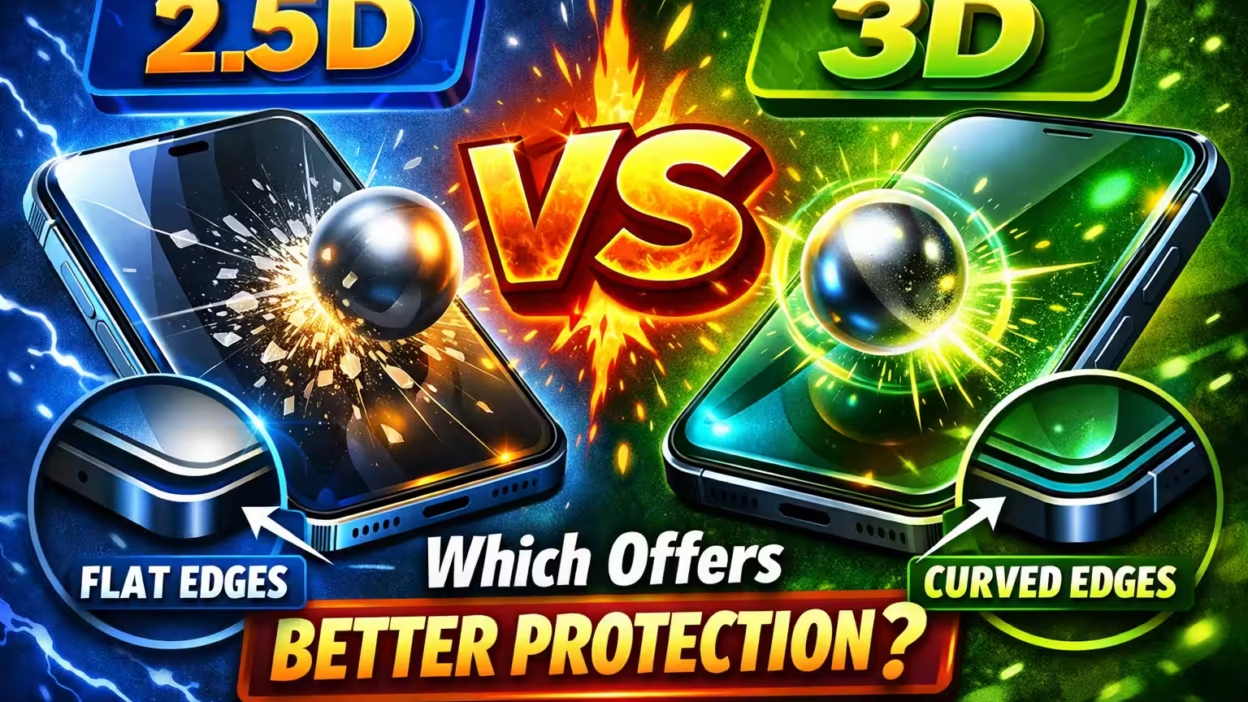
Choosing the right screen protector for your phone might seem easy, but once you dig deeper, terms like 2.5D and 3D screen protector can make things confusing. If you want your device’s display to look great and stay safe, understanding these options matters a lot. Many users buy a screen protector just because it’s cheap or popular, but later regret it when the fit is poor or the edges start peeling. In this guide, you’ll discover not only the technical differences between 2.5D and 3D screen protectors, but also how each one affects your experience, budget, and device protection. Let’s clear up the confusion so you can make a smart choice.
What Is A 2.5d Screen Protector?
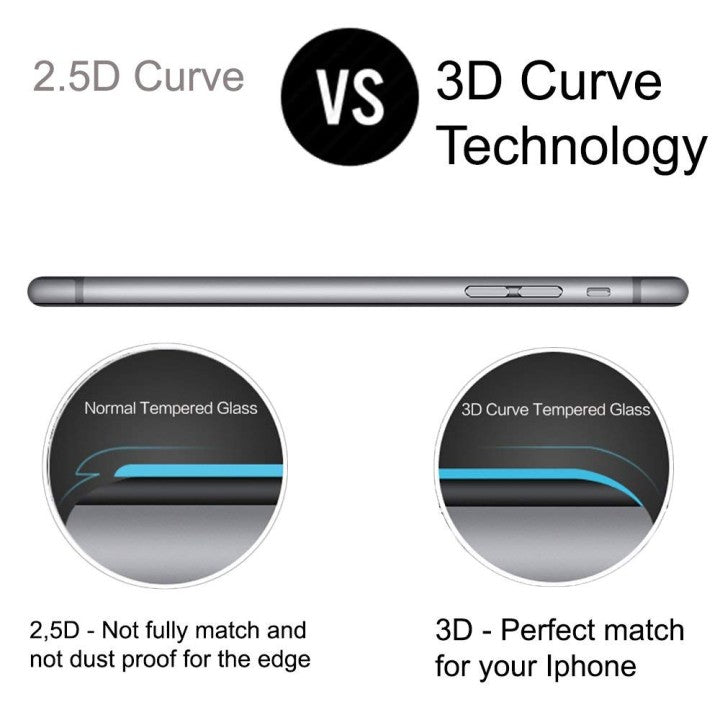
The term 2.5D describes glass that is mostly flat but has slightly curved, polished edges. This design is not as simple as flat (2D), and not as fully curved as 3D glass. When used for screen protectors, 2.5D means the protector covers the flat part of the display and gently tapers off along the sides.
Most smartphones today use displays with tiny curves at the edges, even if they look flat. A 2.5D screen protector matches this by having:
- Flat central area
- Smooth, rounded edges
- Thickness between 0.2mm to 0.5mm (on average)
This design helps the protector fit better than a simple flat sheet of glass. The curved edges make swiping from the side feel smooth and less sharp. It also lowers the risk of chipping at the corners, which is a common problem with older, flat protectors.
Example: If you use a 2.5D screen protector on an iPhone or most Android phones with slightly rounded glass, you’ll notice it feels almost seamless in the middle, but may leave a tiny gap along the very edge of the screen.
What Is A 3d Screen Protector?
A 3D screen protector is made to cover not just the flat part of your phone’s display, but also the fully curved edges. Unlike 2.5D, the glass or plastic is molded to match the screen’s exact shape, including steep curves and corners.
Key features of 3D screen protectors:
- Full coverage from edge to edge
- Curved to match the display’s contour
- Often uses black borders to hide the adhesive and blend with the device
- Thickness is usually similar to 2.5D (0.2mm to 0.5mm), but may feel thinner at the edges
This design is popular for devices with curved screens—like Samsung Galaxy S and Note series, or some newer iPhones. A 3D protector gives complete protection, so dust and dirt are less likely to sneak under the edges.
Example: If you use a 3D screen protector on a Samsung Galaxy S23 Ultra, it will wrap smoothly over the curved edges, looking and feeling like the original glass.
The Science Behind 2.5d And 3d Glass
To truly understand these protectors, it helps to know how 2.5D and 3D glass are made.
2.5d Glass Manufacturing
- 5D glass starts as a flat sheet. The edges are then polished or ground into a slight curve—usually a small radius under 1mm. The process is simpler and cheaper than making full 3D curved glass.
This method gives the glass a nearly flat profile, with just enough curve to reduce sharp edges and improve comfort.
3d Glass Manufacturing
3D glass must be heated and molded to match the phone’s curved display. This needs advanced techniques:
- Hot bending
- Precision molds
- Laser cutting
It’s more expensive and difficult to produce, but allows the protector to match complex screen shapes perfectly.
Non-obvious insight: 3D protectors often have a thin film or glue layer around the curved edges to improve sticking. If this layer is poor quality, you might see “rainbow” effects or touch sensitivity issues.
Key Differences: 2.5d Vs 3d Screen Protector
Let’s compare the main points side by side.
| Feature | 2.5D Screen Protector | 3D Screen Protector |
|---|---|---|
| Coverage | Covers flat area, leaves edges slightly exposed | Covers entire screen, including curved edges |
| Feel | Smooth in the middle, small step at edge | Seamless, matches device shape |
| Looks | May show outline on some phones | Blends in, almost invisible |
| Fit | Not perfect for curved screens | Excellent for curved screens |
| Durability | Good, but edges more vulnerable | Better edge protection, but may lift if poorly installed |
| Cost | Usually cheaper | Often costs more |
Which Devices Use 2.5d Or 3d Screen Protectors?
Not all devices need the same kind of protector. The screen shape is the biggest factor.
- 2.5D screen protectors are common for: IPhones (iPhone 6 to 13), most Xiaomi, Oppo, Vivo, Realme, and budget Android phones.
- 3D screen protectors are made for: Samsung Galaxy S8 and newer, Note series, OnePlus Pro models, Huawei Mate/Pro series, and iPhones with deeper curves (iPhone 14 Pro/Pro Max).
Pro tip: If your phone screen looks flat but the glass feels smooth at the very edge, it’s probably a 2.5D design. If you see the display “fall off” sharply at the sides, it’s a 3D curve.
Pros And Cons Of 2.5d Screen Protector
Understanding both sides helps you decide what suits you best.
Advantages
- Affordable price: 2.5D protectors are less expensive because they’re simpler to make.
- Wide compatibility: Fits most phones with slightly curved glass.
- Easy installation: Simple to align and stick, less likely to trap bubbles.
- Good touch sensitivity: Thin glass means your phone remains responsive.
- Less glare: The flat surface may show fewer reflections than some 3D designs.
Disadvantages
- Edge exposure: The sides of your display are not fully protected. Drops at the edge can crack your real screen.
- Dirt buildup: Dust and lint can collect under the tiny gap at the edge.
- Visible outline: On some devices, the protector’s edge is easy to see, which some users dislike.
- Case compatibility issues: Some thick cases can push against the protector’s edge and cause lifting or bubbles.
Non-obvious insight: Many people think 2.5D protectors protect the “whole screen,” but on curved devices, they leave a small area unprotected. This is a common reason for edge cracks.
Pros And Cons Of 3d Screen Protector
3D protectors offer some big advantages, especially for modern flagship phones, but they’re not perfect.
Advantages
- Full edge-to-edge coverage: Protects the entire front, including curves and corners.
- Seamless look: Blends with the original display, almost invisible after installation.
- Better dust protection: No gaps at the edge means less chance for dust and dirt.
- Works with curved screens: Designed for modern flagships with 3D glass.
- Enhanced comfort: Swiping from the edge feels natural and smooth.
Disadvantages
- Higher price: 3D protectors cost more due to complex manufacturing.
- Installation difficulty: Aligning a 3D protector is harder; mistakes can mean bubbles or lift at the edges.
- Possible touch issues: Some 3D protectors reduce touch sensitivity, especially on curved Samsung devices.
- Black borders: Some models use colored edges to hide adhesive, which may cover parts of the display.
Non-obvious insight: Some 3D protectors use only edge glue, not full-surface glue. This can make the center less sensitive or cause rainbow patterns. Always check the adhesive type before buying.
Which One Is Better For Protection?
The main job of a screen protector is to keep your device safe from scratches, cracks, and impacts. But how do 2. 5D and 3D protectors really compare?
Drop And Impact Protection
A good screen protector absorbs impact and spreads force across the glass. Both 2.5D and 3D types usually use tempered glass rated at 9H hardness, which resists scratches from keys and coins.
- 2.5D: Protects the flat part well, but the exposed edge is a weak spot. If the phone lands on its side, the real screen may crack.
- 3D: Covers the vulnerable edges, so it offers better all-round protection. However, if the adhesive is poor, the protector can pop off on impact.
Scratch Resistance
Both types stop scratches from everyday objects, but:
- 3D protectors prevent scratches on the curved edges, which are often missed by 2.5D designs.
Case Compatibility
This is a key point most buyers miss. Some phone cases fit tightly and can push against the protector’s edge.
- 2.5D: Works with almost all cases, because it stops before the curve.
- 3D: May lift or bubble if you use a rugged or tight case. Some brands make “case-friendly” 3D protectors with a slightly smaller size.
Tip: Always check the case and protector combo before buying. Some stores let you test them together.
Visual Experience: Clarity, Colors, And Sensitivity
You want your phone to look and feel as good as it did on day one. Screen protectors can affect display quality, but the difference depends on the material and design.
Clarity And Brightness
High-quality protectors use optically clear glass. Cheap ones may lower brightness or add a slight haze.
- 2.5D: Usually very clear in the center, but the edge may show a faint line.
- 3D: Seamless look, but black borders may cover pixels. Poor quality 3D glass sometimes causes a rainbow effect.
Touch Sensitivity
Both types can reduce touch accuracy if the adhesive is bad or the glass is too thick.
- 2.5D: Generally keeps the same sensitivity as the original screen.
- 3D: Some users report lag or missed touches, especially on curved Samsung displays.
Oleophobic Coating
Top protectors have an oleophobic layer that resists fingerprints and smudges. This is just as important as protection, especially for people who use their device all day.
Pro tip: Cheap protectors lose their coating fast. Always look for products that mention a long-lasting oleophobic layer.
Installation: Real-world Experience
Applying a screen protector can be stressful. Bubbles, dust, and misalignment are common problems.
Installing A 2.5d Protector
- Clean the screen well.
- Align the protector with the home button, camera, or speaker cutout.
- Press the middle and let the glass stick itself down.
Because the glass is mostly flat, air escapes easily. Most people can install a 2. 5D protector at home with good results.
Installing A 3d Protector
- Clean and dry the screen.
- Carefully align all sides (including corners).
- Some kits include a plastic frame to guide placement.
- Press down and smooth out bubbles, especially at the edges.
3D protectors are less forgiving. If the position is off, you may get bubbles or edges that won’t stick. Removing and reapplying can reduce adhesive strength.
Non-obvious insight: Environmental dust is the biggest enemy during installation. Run a hot shower in your bathroom and install the protector there—the steam reduces dust in the air.
Durability And Maintenance
How long do these protectors last? And how do you care for them?
Lifespan
Most glass protectors last 6-12 months before they chip, crack, or lose their oleophobic coating.
- 2.5D: Edges chip more easily, but central area lasts longer.
- 3D: Edges are safer, but adhesive may weaken over time, causing lift.
Cleaning
Both types clean up with a soft, damp cloth. Avoid using harsh chemicals—these can damage the oleophobic layer.
When To Replace
- Deep scratches
- Cracks or chips
- Loss of touch sensitivity
- Protector won’t stick anymore
Tip: If you drop your phone and the protector cracks but the screen is fine, replace the protector as soon as possible. It may not protect as well the next time.
Price Comparison: Value For Money
Budget matters, especially if you change protectors often. Prices vary depending on brand, quality, and where you buy.
| Type | Average Price Range (USD) | Notes |
|---|---|---|
| 2.5D | $3 – $15 | Single or multipack, easy to find online and offline |
| 3D | $10 – $40 | Flagship phones, some include install tools |
While 3D protectors cost more, they may save you money if they prevent a costly screen repair. But for budget phones or if you change devices often, 2. 5D can be a smarter choice.
Common Mistakes When Choosing A Screen Protector
Many people waste money or damage their phone by making the same mistakes.
- Buying the wrong type: Always check your phone model and screen shape before buying.
- Ignoring adhesive quality: Poor adhesive means bubbles, dust, and peeling edges.
- Choosing the cheapest option: Low-quality glass can shatter or scratch easily.
- Not considering case compatibility: Some cases and protectors don’t fit together.
- Falling for “privacy” protectors: These can darken the display and reduce sensitivity.
Non-obvious insight: Buying “universal” protectors rarely works well. Always choose a product made for your exact phone model.
How To Choose The Right Screen Protector For You
Here’s a step-by-step approach:
- Check your phone’s screen shape: Is it flat, slightly curved, or fully curved at the edges?
- Decide your priority: Is it price, protection, or seamless looks?
- Check case compatibility: If you use a case, read reviews to see if the protector lifts.
- Read user reviews: Look for comments about touch sensitivity and installation.
- Buy from a trusted brand: Avoid no-name products—choose brands with a warranty and support.
Example: If you own a Samsung Galaxy S23 Ultra and use a slim case, a 3D protector from a well-known brand (like Spigen or Whitestone) will likely fit and protect best. If you have a budget Xiaomi phone, a 2.5D protector is usually enough.
How To Test A Screen Protector’s Quality
Even before buying, you can check for quality:
- Look for 9H hardness rating.
- Make sure it mentions oleophobic coating.
- Check if the adhesive is full glue (not just edges).
- See if it matches your device model exactly.
After installation:
- Swipe from the edge—should feel smooth, not sharp.
- Check display clarity—no haze or rainbow effect.
- Test touch response—no lag or missed taps.
The Future: New Trends In Screen Protection
Screen protectors keep evolving. Here are some trends:
- Self-healing films: Special coatings that repair small scratches over time.
- UV glue installation: Some 3D protectors use liquid glue cured by UV light for better fit and sensitivity.
- Anti-microbial coatings: To resist bacteria and germs.
- Blue light filtering: Reduces eye strain by blocking some blue light.
Major brands are investing in better adhesives, coatings, and designs that fit even the most complex screens. For people who want the best, it’s worth watching these developments.

Practical Tips For Everyday Use
- Always clean your hands before using your phone to reduce smudges.
- Use a microfiber cloth, not paper, to clean the protector.
- Avoid dropping your phone—even the best protector can’t stop all damage.
- Replace the protector as soon as it cracks or lifts.
If you want even more information about glass technology and mobile protection, you can visit the Gorilla Glass Wikipedia page for technical details.
Frequently Asked Questions
Why Do Some 3d Screen Protectors Have Black Borders?
The black borders hide the adhesive used to stick the protector to curved screens. They help the protector blend in with the bezel, but may cover a tiny part of the display. Premium brands design the borders carefully so they don’t block important screen content.
Can I Use A 2.5d Protector On A 3d Screen?
You can, but it won’t cover the curved edges. This means the sides of your display stay exposed and are more likely to get scratched or cracked. For full protection on curved screens, always use a 3D protector.
Why Does My Screen Protector Affect Touch Sensitivity?
Some protectors, especially 3D ones, use only edge adhesive. This can create a small gap in the center, reducing touch response. Also, thick or poor-quality glass may dampen sensitivity. Choosing a full adhesive protector usually solves this problem.
Do Screen Protectors Affect Face Id Or Fingerprint Sensors?
High-quality glass should not interfere with Face ID or front cameras. But in-display fingerprint sensors can be less reliable with thick or poor-quality protectors. Look for products marked as ultrasonic sensor compatible if your phone uses this technology.
How Can I Remove Bubbles From My Screen Protector?
Use a plastic card (like a bank card) wrapped in a soft cloth to push bubbles toward the edge. For stubborn bubbles, gently lift the protector near the bubble and reapply. Avoid using sharp objects, as they can scratch the glass.
Choosing between a 2.5D and 3D screen protector isn’t just about price or looks—it’s about finding the right balance for your device, your lifestyle, and your budget. Now that you understand the differences, strengths, and weaknesses, you can make a decision that protects your screen and keeps your phone looking and working its best. Whether you value seamless design or simple, reliable coverage, there’s a perfect protector out there for you.


