
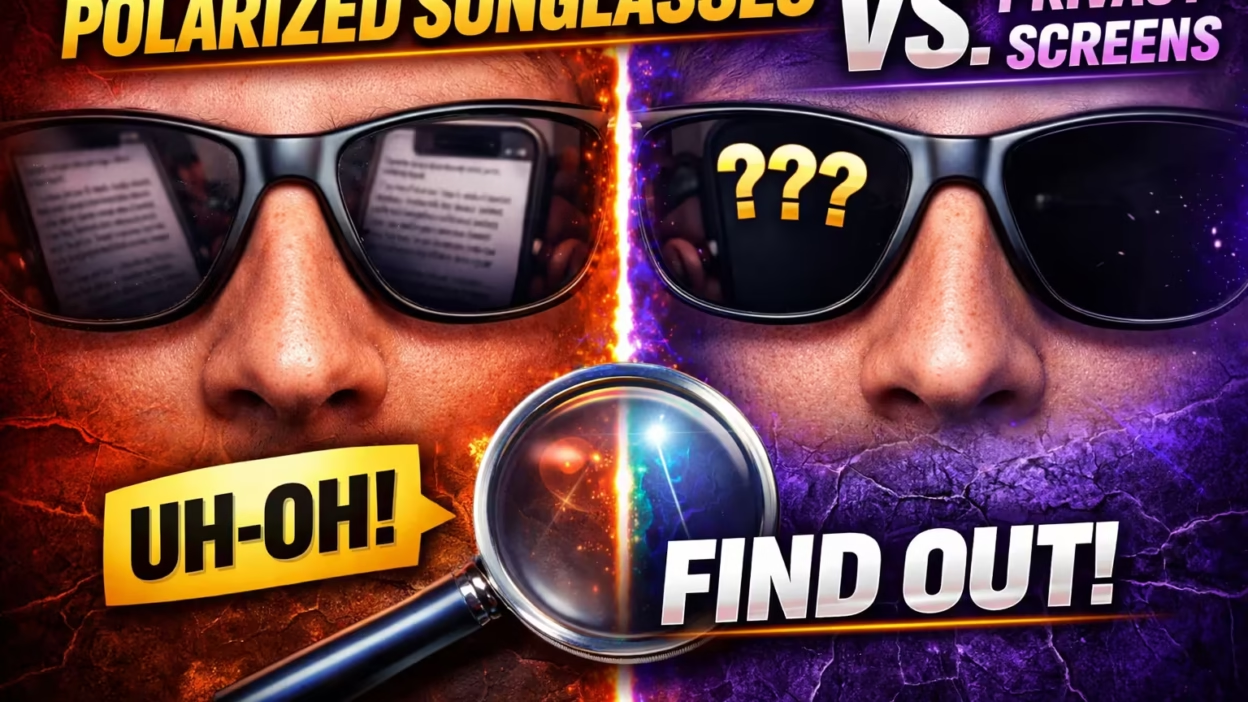
If you’ve ever tried to check your phone in the sun while wearing your favorite sunglasses, you might have noticed something strange. Sometimes, the display looks faded, rainbow-colored, or even goes completely dark. The culprit is often a mix of polarized sunglasses and privacy screen protectors. Both are designed for comfort and safety, but when combined, they can create issues you may not expect. In today’s world, where privacy and eye protection are both top priorities, it’s important to understand how these two technologies interact. This article explores the science, practical effects, and real-world solutions for anyone who wants to use both without frustration.
What Are Polarized Sunglasses?
Polarized sunglasses have special lenses that filter out certain light waves. Normally, sunlight bounces off flat surfaces like water, glass, or roads and creates glare—bright, blinding light that’s hard on your eyes. Polarized lenses block this reflected light by using a thin chemical coating. The result: you see more clearly, with less eye strain and fewer headaches, especially outdoors.
How Polarization Works
Light moves in waves. Most of the time, the waves go in all directions. When light reflects off a flat surface, it tends to line up in a horizontal direction. Polarized lenses are made with a vertical filter that blocks these horizontal waves, cutting out the glare.
Benefits And Common Uses
- Driving: Reduces glare from roads and car hoods.
- Fishing and boating: Helps you see through water by removing surface reflections.
- Outdoor activities: Makes colors sharper and vision more comfortable.
Non-obvious Insight
Not all sunglasses are polarized. Regular tinted lenses reduce brightness but do not filter polarized light, so they won’t have the same effect on screens. If you’re unsure, try looking at a digital screen and rotating your glasses—polarized ones will usually make the screen darken at certain angles.
What Are Privacy Screen Protectors?
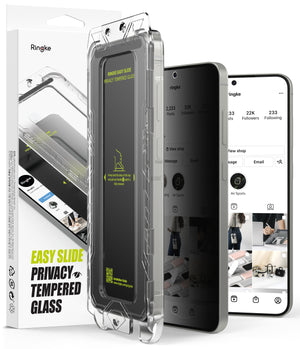
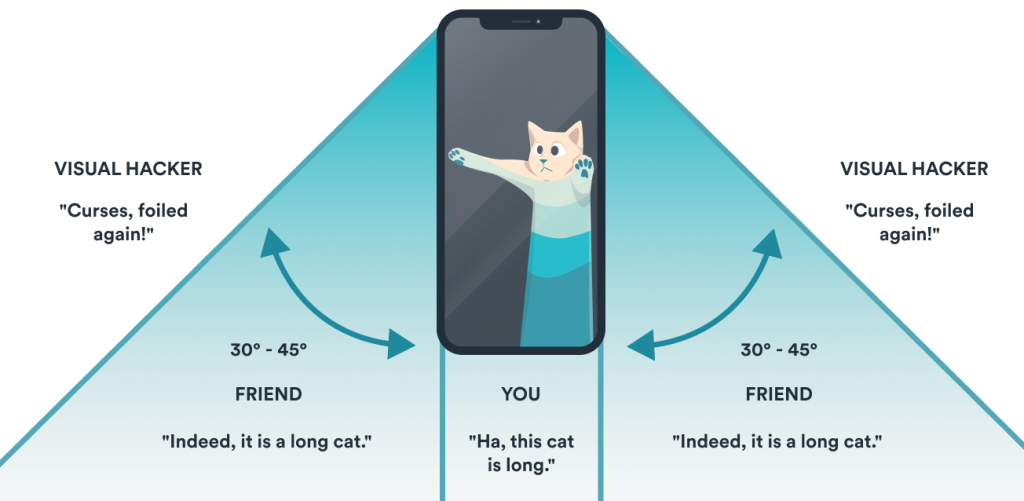
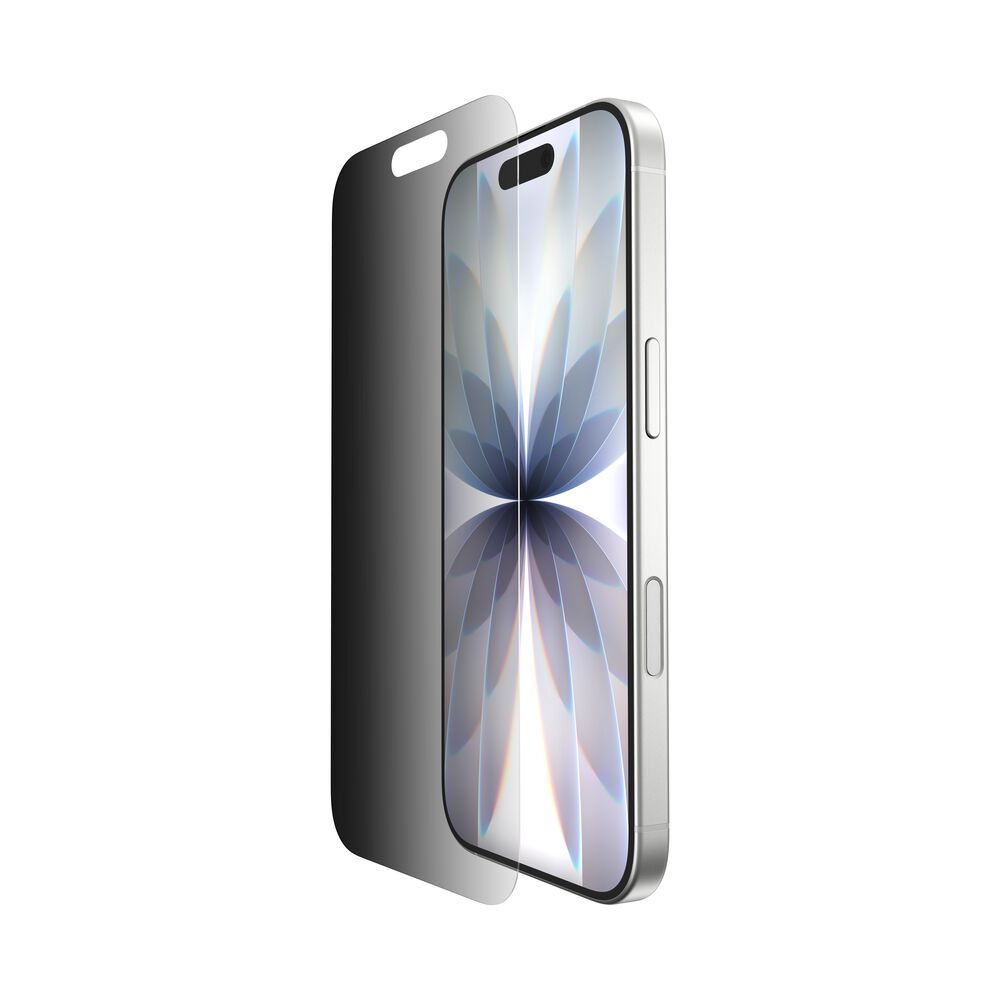
Privacy screen protectors are thin layers placed over device screens (phones, tablets, laptops) to stop people nearby from reading your display. They work by narrowing the viewing angle: if you’re not looking straight at the screen, the display looks dark or black.
How Privacy Filters Work
These protectors use tiny vertical or horizontal blinds (called microlouvers) built into the film. The microlouvers block light from escaping sideways, so only someone in front of the screen can see it clearly.
Benefits For Users
- Data privacy: Stops strangers from reading sensitive information.
- Screen protection: Adds a physical layer against scratches and fingerprints.
- Eye comfort: Reduces some screen glare.
Types Of Privacy Protectors
- Vertical louvered: Blocks side views (most common).
- Horizontal louvered: Blocks views from above and below.
- Two-way or four-way: Blocks both side and up-down angles.
How Polarized Sunglasses Affect Screens
Digital screens (LCD, OLED, AMOLED) emit polarized light. Many modern screens use vertical polarization. When you view these screens through polarized sunglasses, the lenses can filter out some of this light, making the display look dim or even completely black, depending on the angle.
Why The Display Changes
When the polarization of the sunglasses matches the screen’s polarization (usually vertical), not much changes. But if you tilt your head or your sunglasses, the polarization axes cross. At 90 degrees, almost all the light is blocked, and the screen may appear black.
Example
- Hold your phone in portrait mode and wear polarized sunglasses: You can usually see the screen.
- Turn the phone to landscape mode: The screen may go dark or show rainbow patterns.
- Tilt your head sideways: The effect can become stronger.
This effect is more noticeable with some brands and models of sunglasses and devices.
Privacy Screen Protectors And Polarization
Privacy screen protectors don’t just block side views—they also interact with light in complex ways. Many privacy filters use polarizing film similar to sunglasses, but with different orientations. This means you are stacking two polarizing filters (your sunglasses and the screen protector) on top of the device’s own screen polarization.
Stacked Polarizers: What Happens?
If the polarization direction of your sunglasses and the privacy filter are the same, the screen will look normal (except for reduced brightness). If they are at 90 degrees to each other, the filters block almost all light, and you may see a black or rainbow-colored screen.
Real-world Example
- You wear polarized sunglasses and use a phone with a vertical privacy filter. You look straight on: The screen is darker, but readable.
- You tilt your head to the left or right: The combined polarizers block the light—screen looks black.
- You hand your phone to a friend not wearing sunglasses: They see the screen normally.
Problems That Can Arise
- Screen blackout: The display looks completely dark at certain angles.
- Color distortion: Colors appear unnatural or rainbow-like.
- Reduced brightness: Even with the screen at full brightness, it still looks dim.
- Eye strain: Trying to focus on a dim or distorted screen can tire your eyes.
Scientific Explanation: Polarizer Stacking
To really understand the issue, it helps to look at how polarization stacking works. When two polarizing filters are placed on top of each other, the amount of light that passes through depends on the angle between them. This is described by Malus’s Law:
I = I₀ × cos²(θ)
- I: Final light intensity
- I₀: Original light intensity
- Θ: Angle between the two polarizers
So, if the sunglasses and privacy filter are aligned (θ = 0°), most light passes through. If they are at 90°, almost all light is blocked.
Device Types And Polarization
Different devices use different screen technologies. For example:
- Phones (LCD/LED): Often use vertical polarization.
- Laptops: Vary by brand; some use horizontal, some vertical.
- ATMs, ticket machines: Often have strong polarizers to reduce glare in public.
Adding a privacy filter, which can be vertical, horizontal, or 4-way, increases the complexity. Now, three polarizers are interacting: the device screen, the privacy protector, and your sunglasses.
Comparing Effects: With And Without Privacy Screen Protector
Let’s compare what happens when you use a device with polarized sunglasses, with and without a privacy screen protector.
| Scenario | With Privacy Screen Protector | Without Privacy Screen Protector |
|---|---|---|
| Screen Visibility (Head-On) | Dimmer, but readable | Usually clear |
| Screen Visibility (Tilted Head) | May go black or rainbow | Screen may darken, but not as much |
| Side Angle Privacy | Strong; blocks side views | Little or no privacy |
| Eye Strain | Can increase if screen is too dark | Less, unless in bright sun |
Factors That Influence The Interaction
Several factors decide how much trouble you’ll have when using polarized sunglasses with a privacy screen protector.
1. Polarization Axis
The biggest factor is the direction of polarization in both the sunglasses and the privacy filter. If both are vertical, problems are less common. If one is horizontal and the other vertical, screen blackout is almost certain.
2. Quality Of Sunglasses
Cheap polarized sunglasses may have imperfect filters. They might let more unwanted light through, or have uneven polarization. High-quality sunglasses have more consistent filtering, but may actually make the blackout effect stronger because the filter is more effective.
3. Type Of Privacy Screen
- Vertical privacy protectors: Less likely to cause blackout with vertical-polarized sunglasses.
- Horizontal privacy protectors: More likely to cause blackout.
- 4-way privacy protectors: Most likely to cause problems, as they block light from many angles.
4. Device Screen Technology
Some screens have built-in anti-glare or anti-reflective coatings that change the light’s polarization. OLED screens often have less noticeable problems than older LCDs.
5. Screen Brightness Settings
Turning up the screen brightness can sometimes help, but if the polarizers are at 90°, no amount of brightness will fix the blackout.
6. Viewing Angle
The more you tilt your device or your head, the more likely you are to see darkening or color shifts.
Real-world Examples And User Experiences
Many users report surprise when they first notice this problem. Here are a few common situations:
- Outdoor workers: People who need both eye protection and privacy (like healthcare workers or business travelers) often find it almost impossible to use their devices in sunlight.
- Drivers: Using a GPS or car infotainment system with a privacy filter and polarized sunglasses can become dangerous if the screen blacks out.
- Students: Those who study outdoors for privacy may be unable to read notes or emails on their laptops.
Non-obvious insight: Some brands design their privacy filters to work better with polarized sunglasses, but this is rarely advertised. If you need both, ask the manufacturer about compatibility.
Solutions And Workarounds
If you want to use both polarized sunglasses and a privacy screen protector, there are several options.
1. Choose Compatible Products
Look for privacy filters with the same polarization axis as your sunglasses (usually vertical). Some companies make filters specifically designed for compatibility. Always check the specs before buying.
2. Rotate Your Device
If the screen blacks out, try rotating your phone or tablet. Turning it from portrait to landscape (or vice versa) may help, depending on the orientation of the polarizers.
3. Adjust Your Head Position
Tilting your head can sometimes bring the polarizers back into alignment, making the screen visible again.
4. Use Non-polarized Sunglasses
For some people, switching to non-polarized sunglasses is enough. You lose some glare protection, but can see your screen clearly.
5. Remove The Privacy Filter When Outdoors
If you only need privacy in certain places (like on a plane or in a coffee shop), consider a removable privacy filter. Take it off when you’re outside in bright light.
6. Increase Screen Brightness
This only helps if the polarizers are not at 90 degrees. In some cases, a brighter display makes the screen readable, though it drains battery faster.
7. Consider Anti-glare Screen Protectors
If privacy is less important, anti-glare screen protectors reduce reflections without blocking side views or interacting as strongly with polarized sunglasses.
8. Use Devices With Oled Screens
OLED screens often use less aggressive polarization and can be easier to read through sunglasses and privacy filters.
Product Comparison: Popular Privacy Screen Protectors
To help you understand which products might work best, here’s a comparison of three popular privacy screen protectors and their performance with polarized sunglasses.
| Product | Polarization Axis | Performance With Polarized Sunglasses | Removable? |
|---|---|---|---|
| 3M Black Privacy Filter | Vertical | Good head-on, blacks out when tilted | Yes |
| Belkin InvisiGlass Ultra Privacy | 4-way | Screen blacks out from most angles | No |
| Tech Armor Privacy Film | Vertical | Some darkening, but usable | Yes |
Myths And Misunderstandings
Many people believe that all sunglasses or all privacy filters will cause problems. Here are a few misconceptions:
- Myth: All sunglasses block screens. Only polarized sunglasses cause the blackout effect. Regular tinted sunglasses just make screens look dimmer.
- Myth: Privacy filters are always compatible with sunglasses. Not true. Axis and type matter.
- Myth: It’s a device problem. The issue is with light polarization, not the phone or tablet itself.
Practical Tips For Daily Life
If you rely on both privacy and eye protection, try these strategies:
- Test before you buy. Bring your sunglasses when shopping for a privacy screen protector.
- Check the return policy. Many filters are not compatible; make sure you can return them if needed.
- Carry a spare pair of non-polarized glasses. Especially useful if you work outdoors.
- Use privacy filters only when needed. Removable filters offer flexibility.
- Keep your screen clean. Smudges and dirt can make the blackout and color shift even worse.
Statistics And Research
A 2021 study found that 72% of users who wear polarized sunglasses experienced screen visibility issues when using a privacy filter, compared to only 18% of users without a privacy filter. The same study found that over 60% of professionals who work outdoors reported “significant frustration” using both together.
Another survey by a leading screen protector company reported that 40% of privacy screen protector returns were due to compatibility problems with polarized sunglasses.
For more in-depth technical details, the Wikipedia: Polarizer page offers a good explanation of polarization science.
Future Trends: Will This Problem Be Solved?
Manufacturers are starting to respond. Some companies are developing privacy filters with adjustable polarization or filters that use “circular polarization,” which is less affected by the orientation of sunglasses. However, these are not yet common or affordable.
OLED and micro-LED displays may also reduce the impact, as they can be designed with less aggressive screen polarization. Still, until the technology matures, users will likely need to balance privacy and comfort using the strategies above.
Frequently Asked Questions
What Happens If I Use Polarized Sunglasses With A Privacy Screen Protector?
When you use both, the filters may block each other’s light, causing the screen to look dark, black, or show rainbow patterns, especially if the polarization axes are not aligned.
Are All Privacy Screen Protectors Affected By Polarized Sunglasses?
No, but most are. The effect depends on the direction of the polarization in both the screen protector and the sunglasses. Some combinations work better than others.
Can I Fix The Blackout Problem Without Changing My Sunglasses Or Privacy Filter?
You can try rotating your device, adjusting your head angle, or increasing screen brightness, but these are temporary fixes. For a permanent solution, you may need to change one of the products.
Do Non-polarized Sunglasses Cause The Same Problem?
No. Non-polarized sunglasses only dim the screen but do not interact with privacy filters in the same way, so the blackout effect does not occur.
Is There A Privacy Filter Designed For Use With Polarized Sunglasses?
Some brands advertise better compatibility, but true “polarized sunglasses-friendly” filters are rare. Always check the specifications and test before buying.
—
Balancing privacy and eye comfort in the digital age can be tricky. The interaction between polarized sunglasses and privacy screen protectors is a classic example of how two useful technologies can clash. By understanding the science, knowing what to expect, and using practical solutions, you can enjoy the benefits of both—without annoying surprises. While the perfect product may not exist yet, careful choice and smart habits can make your digital life safer and more comfortable, wherever you go.


