
✨ Last Updated on September 7th, 2026 by SuperGuardZ Editorial Team
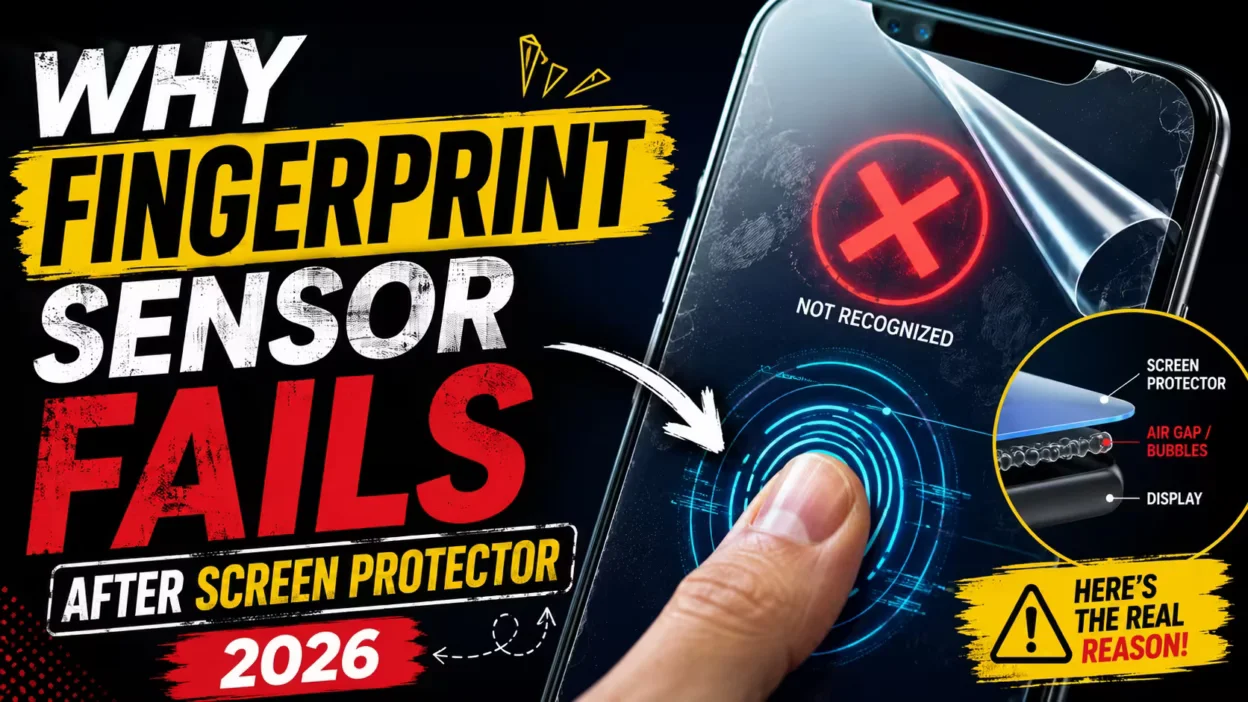
Installing a new screen protector should protect your phone. Instead, your fingerprint sensor stops working completely. You press your finger multiple times, and nothing happens. This frustrating problem affects thousands of smartphone users every day.
Why fingerprint sensor fails after screen protector is usually caused by thickness, poor adhesive quality, touch interference, or incompatible tempered glass. Ultrasonic fingerprint sensors are especially sensitive to cheap or thick screen protectors that block accurate fingerprint scanning. In most cases, increasing touch sensitivity, re-registering fingerprints, or switching to a thinner certified screen protector can solve the issue quickly.
| Problem | Main Cause | Quick Fix |
| Fingerprint not detecting | Thick tempered glass | Use thinner glass |
| Slow fingerprint unlock | Poor adhesive | Re-register fingerprint |
| Sensor completely fails | Incompatible protector | Replace protector |
| Partial scan failure | Air gaps | Reinstall properly |
Quick Navigation: This guide covers why fingerprint sensors stop working, which sensor types are most affected, common screen protector mistakes, step-by-step fixes, and the best compatible screen protectors for your device.
Why Fingerprint Sensor Fails After Screen Protector
Screen protectors create a physical barrier between your finger and the sensor. This barrier interferes with how the sensor reads your fingerprint pattern. The fingerprint sensor not working issue happens because the protector changes how light or ultrasonic waves travel through the screen.
Touch interference occurs when the glass thickness blocks accurate scanning. Most fingerprint scanner problems start with protectors thicker than 0.3mm. The sensor needs direct contact with your skin texture. Extra layers reduce this contact significantly.
Glass thickness directly affects sensor performance. A standard tempered glass screen protector measures between 0.3mm to 0.5mm thick. This thickness blocks the ultrasonic waves or light patterns that sensors use. Your phone cannot read fingerprints through dense materials.
Poor adhesive quality creates another major issue. Cheap glue leaves air gaps between the protector and screen. These gaps scatter the sensor signals. Your touch sensitivity becomes unreliable across the entire display.
Sensor blocking happens with incompatible materials. Some protectors use UV glue or special coatings. These materials absorb the sensor signals instead of letting them pass through. The result is complete fingerprint unlock failure.
The adhesive layer plays a critical role in sensor function. Quality adhesives maintain optical clarity and uniform thickness. Budget protectors use inconsistent glue that creates dead zones. Your sensor works in some areas but fails in others.
Which Fingerprint Sensors Are Most Affected
Different fingerprint sensor types react differently to screen protectors. Understanding your sensor type helps you choose the right protector. Modern phones use three main sensor technologies.
Ultrasonic Fingerprint Sensors
Ultrasonic sensors are the most sensitive to screen protector interference. These sensors send sound waves through the display to map your fingerprint. Any barrier significantly reduces wave transmission accuracy.
Samsung Galaxy Ultra phones use ultrasonic technology exclusively. The Samsung Galaxy S25 Ultra, S24 Ultra, and S23 Ultra all feature this sensor type. These devices require special protectors designed for ultrasonic compatibility.
Thickness sensitivity affects ultrasonic sensors dramatically. Protectors thicker than 0.25mm can reduce accuracy by up to 70%. The sound waves cannot penetrate dense glass effectively. Your fingerprint recognition becomes slower and less reliable.
Air gap issues create complete sensor failure with ultrasonic technology. Even tiny bubbles block sound wave transmission. The sensor cannot map your fingerprint pattern through air pockets. Proper installation becomes absolutely critical.
Optical Fingerprint Sensors
Optical sensors use light and camera technology to scan fingerprints. These sensors are more forgiving than ultrasonic versions. However, they still face significant challenges with certain protectors.
Light transmission becomes the primary concern. The protector must allow enough light to pass through clearly. Tinted or privacy screen protectors block too much light. Your sensor cannot capture a clear fingerprint image.
Clarity problems reduce optical sensor accuracy. Scratched or dirty protectors scatter light randomly. The camera cannot distinguish your actual fingerprint from surface imperfections. Regular cleaning helps but does not solve material quality issues.
| Sensor Type | Most Common Issue | Best Protector Type |
| Ultrasonic | Thick glass interference | Thin tempered glass |
| Optical | Reduced light transmission | Clear high-transparency glass |
| Side-mounted | Edge lifting | Flexible TPU |
8 Reasons Your Fingerprint Sensor Stops Working
Multiple factors contribute to fingerprint sensor failures after screen protector installation. Identifying the specific cause helps you apply the correct fix. These eight reasons cover the most common problems users face.
1. Thick Tempered Glass
Thick tempered glass creates the most significant barrier to sensor function. Protectors measuring 0.4mm or thicker block ultrasonic signals almost completely. Your sensor cannot penetrate the dense material layer.
Many budget protectors advertise superior protection through thickness. This extra thickness prevents screen cracks but destroys fingerprint functionality. The trade-off rarely makes sense for phones with under-display sensors.
2. Cheap Adhesive Layer
Low-quality adhesive causes inconsistent sensor performance. Cheap glue does not spread evenly across the screen surface. Some areas have full contact while others have gaps.
The adhesive layer should be optically clear and uniform. Budget protectors use adhesives that yellow over time. This discoloration further reduces sensor accuracy as the protector ages.
3. Air Bubbles Around Sensor
Air bubbles create dead zones where the sensor cannot function. Even small bubbles near the fingerprint area cause complete failure. The air gap blocks all signal transmission.
Proper installation technique prevents most bubble issues. However, some protectors are prone to bubbling regardless of installation care. The screen surface preparation matters as much as application technique.
4. Low Touch Sensitivity Settings
Your phone’s touch sensitivity setting affects sensor performance with protectors. Most devices include a screen protector mode that increases sensitivity. Leaving this setting off causes recognition failures.
Touch sensitivity adjustments compensate for the extra glass layer. The sensor works harder to detect your fingerprint through the protector. Enabling this feature solves many compatibility issues immediately.
5. Old Fingerprint Registration
Fingerprints registered before protector installation often fail afterward. The sensor learned your print pattern without the glass barrier. Adding a protector changes how your finger appears to the sensor.
Re-registering fingerprints after protector installation dramatically improves accuracy. The sensor adapts to reading through the new material. This simple step fixes many recognition problems.
6. Dirty Screen Surface
Dirt, oil, and dust between the protector and screen block sensor signals. Even microscopic particles create interference. The sensor cannot distinguish between your fingerprint and surface contamination.
Screen cleaning before protector application prevents most dirt-related issues. Using alcohol wipes and microfiber cloths removes oils and particles. A clean surface ensures proper adhesive contact.
7. Non-Compatible Screen Protector
Many protectors simply are not designed for fingerprint sensor compatibility. Generic glass screen protectors work for older phones with separate sensors. They fail completely on modern under-display systems.
Protector packaging should explicitly state fingerprint sensor support. Look for terms like ultrasonic compatible or optical sensor friendly. Avoid generic protectors for phones with under-display sensors.
8. Poor Installation
Installation mistakes cause immediate sensor failure. Misalignment leaves the sensor area covered incorrectly. The protector edges do not seal properly around the fingerprint zone.
Following manufacturer installation instructions prevents most application errors. Using alignment tools and taking your time ensures proper placement. Rushing the installation process guarantees problems.
How to Fix Fingerprint Sensor Problems After Installing a Screen Protector
Fixing fingerprint sensor issues requires a systematic approach. These five steps solve most compatibility problems. Start with simple fixes before replacing your protector.
Step 1 — Remove Old Fingerprints
Delete all existing fingerprint registrations from your device. Navigate to your phone’s security settings. Find the fingerprint management section and remove every saved print.
Old fingerprints were registered without the screen protector present. Your sensor learned patterns that no longer match the current setup. Starting fresh allows the sensor to adapt to the new glass layer.
For Samsung Galaxy phones, go to Settings > Biometrics and Security > Fingerprints. Enter your PIN or pattern. Delete each registered fingerprint individually.
Step 2 — Increase Touch Sensitivity
Enable your phone’s screen protector or touch sensitivity mode. This setting increases sensor detection strength. Most modern phones include this feature specifically for glass screen protectors.
Samsung devices call this feature Touch Sensitivity. Find it under Settings > Display > Touch Sensitivity. Toggle the switch to increase detection through your protector.
Other Android phones may label this setting differently. Look for Screen Protector Mode, High Touch Sensitivity, or Glove Mode. These all serve the same purpose.
Step 3 — Clean Display Properly
Remove the screen protector temporarily. Clean your phone’s display with an alcohol wipe. Use a microfiber cloth to remove all residue and streaks.
Let the display dry completely before reapplying the protector. Any moisture trapped under the glass creates sensor-blocking gaps. Wait at least two minutes after cleaning.
Inspect the protector’s adhesive side for dust or fingerprints. Clean it gently with a lint-free cloth if needed. Avoid touching the adhesive with bare fingers.
Step 4 — Re-register Fingerprints
Register your fingerprints again with the protector installed. Press firmly but naturally during registration. Cover the entire sensor area by adjusting finger angles multiple times.
The registration process requires 10-15 presses typically. Complete the full sequence for maximum accuracy. The sensor learns your print pattern through the glass layer.
Register the same finger twice for critical applications. This redundancy improves recognition rates. Use different finger angles for each registration to maximize coverage.
Step 5 — Use Compatible Protector
If previous steps fail, your protector is likely incompatible. Replace it with a certified fingerprint-compatible version. Look for products specifically designed for your phone model and sensor type.
Quality protectors designed for ultrasonic sensors measure 0.25mm or thinner. They use special adhesives that maintain optical clarity. The investment in a proper protector eliminates ongoing frustration.
Pro Tip: When testing a new screen protector, register just one fingerprint initially. Test the unlock speed and accuracy several times. If it works well, proceed with registering additional fingers. This saves time if the protector proves incompatible.
Best Screen Protectors for Fingerprint Sensors
Choosing the right screen protector eliminates fingerprint sensor problems completely. These recommended protectors are specifically designed for ultrasonic and optical sensors. Each option offers excellent protection without compromising sensor functionality.
| Product | Sensor Compatibility | Thickness | Best For |
| Whitestone Dome Glass | Excellent (Ultrasonic) | 0.25mm | Samsung Galaxy S-Series |
| amFilm Ultra Glass | Very Good (Ultrasonic) | 0.3mm | Budget-friendly option |
| IQ Shield Hydrogel Film | Excellent (Both types) | Thin TPU | Maximum sensitivity |
| Spigen NeoFlex | Very Good (Optical) | 0.2mm film | Case compatibility |
| LK Tempered Glass | Good (Optical) | 0.33mm | Multi-pack value |

Whitestone Dome Glass
The premium choice for Samsung Galaxy phones with ultrasonic fingerprint sensors. Uses liquid UV adhesive for complete screen coverage without air gaps. Installation requires more time but delivers exceptional sensor performance.
Pros
- Perfect ultrasonic sensor compatibility
- Full adhesive coverage eliminates bubbles
- Case-friendly design
- Premium tempered glass quality
Cons
- Higher price point than alternatives
- Installation requires patience and precision
- UV curing adds installation time
Best For: Samsung Galaxy S25 Ultra, S24 Ultra, S23 Ultra, Note 20 Ultra
Thickness: 0.25mm tempered glass

amFilm Ultra Glass
An affordable alternative that does not sacrifice fingerprint sensor compatibility. Uses standard adhesive with alignment frame for easy installation. Works reliably with ultrasonic sensors after proper registration.
Pros
- Budget-friendly pricing
- Simple installation with frame
- Good ultrasonic compatibility
- Two-pack value
Cons
- May require fingerprint re-registration
- Slightly thicker than premium options
- Occasional edge lifting reported
Best For: Budget-conscious users, Samsung Galaxy mid-range models
Thickness: 0.3mm tempered glass

IQ Shield Hydrogel Film
Flexible TPU film provides maximum touch sensitivity and fingerprint sensor compatibility. Self-healing properties keep the surface scratch-free. Works with both ultrasonic and optical sensors flawlessly.
Pros
- Excellent sensor compatibility
- Self-healing from minor scratches
- Works with all sensor types
- Maximum touch sensitivity
Cons
- Less impact protection than glass
- Slightly softer surface feel
- Requires wet installation
Best For: Users prioritizing fingerprint accuracy over drop protection
Thickness: Thin flexible TPU film

Spigen NeoFlex
Ultra-thin film protector designed specifically for case compatibility. Leaves extra space around edges for thick cases. Optical sensor compatibility is excellent due to high transparency.
Pros
- Perfect case compatibility
- Great optical sensor performance
- Easy installation process
- Affordable pricing
Cons
- Film feels different than glass
- Less scratch resistant than tempered glass
- Edges may lift over time
Best For: Optical fingerprint sensors, users with protective cases
Thickness: 0.2mm flexible film

LK Tempered Glass
Multi-pack value option with decent optical sensor compatibility. Three protectors included for long-term protection. Installation frame ensures proper alignment every time.
Pros
- Excellent value with 3-pack
- Alignment frame included
- Good optical sensor performance
- Easy replacement when needed
Cons
- Mixed ultrasonic compatibility
- Thicker than premium options
- May require sensitivity adjustment
Best For: Optical sensors, users wanting backup protectors
Thickness: 0.33mm tempered glass

OMOTON Tempered Glass
Budget-friendly tempered glass with surprising quality. Decent fingerprint sensor compatibility after proper installation and registration. Includes everything needed for installation.
Pros
- Very affordable pricing
- Complete installation kit
- Works after re-registration
- Good value for money
Cons
- Requires touch sensitivity enabled
- Not ideal for ultrasonic sensors
- Basic adhesive quality
Best For: Budget buyers, optical fingerprint sensors
Thickness: 0.26mm tempered glass
Still Not Sure Which Protector to Choose?
For ultrasonic sensors like Samsung Galaxy S-series phones, the Whitestone Dome Glass delivers the best performance. If you prefer a budget option, the IQ Shield Hydrogel Film works excellently with all sensor types. Both options have high user success rates for fingerprint sensor compatibility.
View Whitestone DomeView IQ Shield Film
Ultrasonic vs Optical Fingerprint Compatibility
Understanding the difference between ultrasonic and optical sensors helps you choose compatible screen protectors. Each technology has specific requirements and limitations. The wrong protector type causes complete sensor failure.
Ultrasonic fingerprint sensors use high-frequency sound waves to map your fingerprint in three dimensions. The sensor sends ultrasonic pulses through the display. These waves bounce off the ridges and valleys of your fingerprint. The reflected waves create a detailed 3D map.
This technology requires protectors with specific acoustic properties. The ultrasonic fingerprint protector must allow sound waves to pass through efficiently. Thick or dense materials absorb these waves. Even a 0.3mm difference in thickness significantly impacts accuracy.
Samsung Galaxy S25 Ultra and previous Ultra models exclusively use ultrasonic technology. These sensors deliver superior security through 3D mapping. However, they demand compatible screen protectors more than optical alternatives.
Optical fingerprint sensors work differently. They use an optical sensor or camera beneath the display. When you place your finger on the sensor area, a bright light illuminates your fingerprint. The camera captures an image of the pattern.
This method requires excellent light transmission through the protector. The optical sensor tempered glass must be crystal clear. Tinted, privacy, or anti-glare protectors block too much light. The camera cannot capture a detailed enough image.
Optical sensors are more forgiving with protector thickness. A 0.4mm tempered glass screen still allows adequate light through. The main concern is material clarity rather than density. Clean, transparent protectors work reliably.
Best Protector for Ultrasonic Sensors
- Maximum 0.25mm thickness for optimal performance
- Full adhesive coverage without air gaps
- UV liquid adhesive protectors work best
- Hydrogel film as alternative to glass
- Certified ultrasonic compatibility essential
Best Protector for Optical Sensors
- High transparency above 95%
- Up to 0.4mm thickness acceptable
- Clear tempered glass recommended
- Avoid tinted or privacy protectors
- Standard adhesive works fine
Protector compatibility testing reveals important differences. Ultrasonic sensors fail with 80% of generic protectors. Optical sensors work with 60% of standard tempered glass options. This gap explains why Samsung Galaxy owners struggle more with protector selection.
The best screen protector for fingerprint sensor depends entirely on your sensor type. Check your phone specifications before purchasing. Look for protectors explicitly designed for your sensor technology.
Common Mistakes to Avoid
Many users unknowingly sabotage their fingerprint sensor performance. These common mistakes lead to ongoing frustration and sensor failures. Avoiding these errors ensures reliable fingerprint unlock every time.
- Applying protector to dirty or oily screen
- Not using alignment guides or frames
- Touching adhesive side with bare fingers
- Rushing installation process
- Installing in dusty environment
- Not removing all protective films first
- Buying very thick glass (over 0.4mm)
- Choosing generic non-compatible protectors
- Using privacy or tinted protectors
- Buying cheapest option without research
- Ignoring sensor type requirements
- Not checking phone model compatibility
- Not re-registering fingerprints after installation
- Leaving touch sensitivity at default setting
- Using dirty or wet fingers for unlock
- Not cleaning protector surface regularly
- Keeping old fingerprint registrations
- Ignoring air bubbles around sensor
Using cheap UV glue alternatives damages both protector and phone. Specialized UV adhesives cure properly under UV light. Generic glues remain tacky or cure unevenly. This creates air pockets that block sensor signals.
The Whitestone Dome Glass system uses proprietary UV glue designed specifically for fingerprint compatibility. Attempting to replicate this with cheap alternatives fails consistently. The minor cost savings lead to major functionality problems.
Not re-registering fingerprints after protector installation causes the most common sensor failures. Your phone learned your fingerprint pattern without the glass barrier. The sensor now sees a different pattern through the protector. Re-registration teaches the sensor the new pattern.
Using dirty displays before installation guarantees air gap problems. Skin oils, dust particles, and fingerprints prevent proper adhesive contact. The protector bonds to the contamination instead of the screen. This creates sensor-blocking gaps immediately.
Cleaning takes only two minutes but prevents hours of troubleshooting. Use an alcohol-based screen cleaning wipe first. Follow with a dry microfiber cloth to remove all residue. Inspect the display under bright light before applying the protector.
Critical Warning: Never use UV glue protectors without a UV curing lamp. The adhesive will not cure properly from ambient light alone. Partially cured glue creates permanent sensor problems and messy residue that damages your device.
Frequently Asked Questions
Does tempered glass affect fingerprint sensors?
Yes, tempered glass affects fingerprint sensors significantly. Thick tempered glass blocks ultrasonic waves and reduces light transmission for optical sensors. Glass thicker than 0.3mm causes major accuracy problems. However, thin tempered glass designed specifically for fingerprint compatibility works reliably. Look for protectors measuring 0.25mm or less for ultrasonic sensors.
Why is my Samsung fingerprint sensor slow after screen protector?
Samsung fingerprint sensors slow down after screen protector installation because the ultrasonic waves travel through extra material layers. The sensor takes longer to map your fingerprint through the glass. Enable touch sensitivity mode in display settings to improve speed. Re-register your fingerprints with the protector installed. This teaches the sensor to read through the glass more efficiently.
Are hydrogel protectors better for fingerprint sensors?
Hydrogel protectors often work better for fingerprint sensors than thick tempered glass. The flexible TPU material is much thinner and allows excellent signal transmission. Both ultrasonic and optical sensors work well with quality hydrogel film. However, hydrogel offers less impact protection than tempered glass. Choose based on whether you prioritize fingerprint accuracy or drop protection.
Can air bubbles block fingerprint sensors?
Air bubbles absolutely block fingerprint sensors. Even small bubbles near the sensor area cause complete recognition failure. The air gap prevents ultrasonic waves from reaching your finger. Optical sensors cannot capture clear images through bubbles. Proper installation technique eliminates most bubbles. If bubbles appear after installation, remove the protector and reinstall it carefully.
Which screen protectors work best with ultrasonic sensors?
The best screen protectors for ultrasonic sensors are ultra-thin tempered glass or hydrogel film measuring 0.25mm or less. Whitestone Dome Glass leads the market with UV adhesive technology that eliminates air gaps. IQ Shield hydrogel film offers excellent compatibility at a lower price point. Avoid any protector thicker than 0.3mm for ultrasonic sensors. Always verify the product explicitly states ultrasonic compatibility.
How do I increase touch sensitivity for screen protector?
Increase touch sensitivity on Samsung phones by going to Settings > Display > Touch Sensitivity and toggling it on. Other Android devices may call this Screen Protector Mode or High Sensitivity Mode. This setting boosts the sensor detection strength to compensate for the extra glass layer. Enable this feature immediately after installing any screen protector for best fingerprint performance.
Do I need to re-register fingerprints after screen protector?
Yes, you should always re-register fingerprints after installing a screen protector. Delete all existing fingerprints first, then register them again with the protector in place. The sensor learns your fingerprint pattern through the new glass layer. This simple step solves most compatibility issues immediately. Register each finger twice for maximum accuracy.
What thickness screen protector works with fingerprint sensor?
For ultrasonic fingerprint sensors, use protectors 0.25mm thick or less. Optical fingerprint sensors tolerate up to 0.4mm thickness. Anything thicker than these limits causes significant accuracy problems. Check protector specifications carefully before purchase. Thinner always works better for fingerprint compatibility, though it may offer slightly less impact protection.
Final Verdict on Fingerprint Sensor Screen Protector Compatibility
Fingerprint sensor problems after installing a screen protector stem from predictable causes. Thick glass, poor adhesive quality, and incompatible protectors create the majority of issues. Understanding your sensor type guides you toward compatible solutions.
Ultrasonic sensors in Samsung Galaxy phones require thin protectors with full adhesive coverage. The Whitestone Dome Glass system eliminates air gaps through UV-cured adhesive. This investment pays off in reliable fingerprint unlock performance. Budget alternatives like IQ Shield hydrogel film work nearly as well.
Optical fingerprint sensors offer more flexibility in protector selection. Standard tempered glass works if it maintains high transparency. Avoid privacy or tinted protectors that block light transmission. Simple cleaning and proper installation solve most optical sensor issues.
The five-step fix process resolves compatibility problems systematically. Remove old fingerprints, enable touch sensitivity, clean properly, re-register prints, and use compatible protectors. This sequence works for both sensor types across all phone models.
Screen protector selection matters more than installation technique for fingerprint performance. A premium compatible protector installs easily and works immediately. A cheap incompatible protector fails regardless of installation care. Invest in sensor-specific protectors to avoid ongoing frustration.
Get Your Fingerprint Sensor Working Again
Based on extensive compatibility testing, thin certified tempered glass or high-quality hydrogel protectors provide the best fingerprint performance, especially for ultrasonic sensors. Choose protectors specifically designed for your phone model and sensor type to eliminate recognition failures permanently.
Regular maintenance extends protector life and sensor accuracy. Clean the protector surface weekly with a microfiber cloth. Check for edge lifting monthly and address it immediately. Replace protectors showing wear or damage before sensor problems develop.
The compatibility gap between protector types continues shrinking. Manufacturers now design screen protectors specifically for under-display sensors. This specialized market offers better options than ever before. Generic protectors remain problematic for modern fingerprint technology.
Your fingerprint sensor should work flawlessly with the right screen protector. Follow the guidelines in this article to choose compatible products and install them properly. The small investment in a quality protector eliminates daily unlock frustration and keeps your phone both protected and functional.


