

Why Your Screen Protector Does Not Cover Full Screen
You peel off the backing, align the protector carefully, press it down — and then notice a thin strip of unprotected glass along the edge. It’s a common frustration, but in most cases, that gap is intentional. According to tech repair expert Mac Frederick, screen protectors simply cannot cover every square millimeter of a display.
Modern phones use curved 2.5D glass that makes it difficult for a flat piece of tempered glass to adhere across the entire surface. Manufacturers leave a small border to prevent the protector from lifting or peeling. The gap also ensures compatibility with phone cases, which can push against a full-edge protector and cause corner lifting.
This article covers the real reasons behind that edge gap, practical fixes for common issues, and how to choose a protector — such as SuperGuardZ’s case-friendly or edge-to-edge options — that fits your device and usage style without sacrificing protection.
The Intentional Gap: Design Over Defect
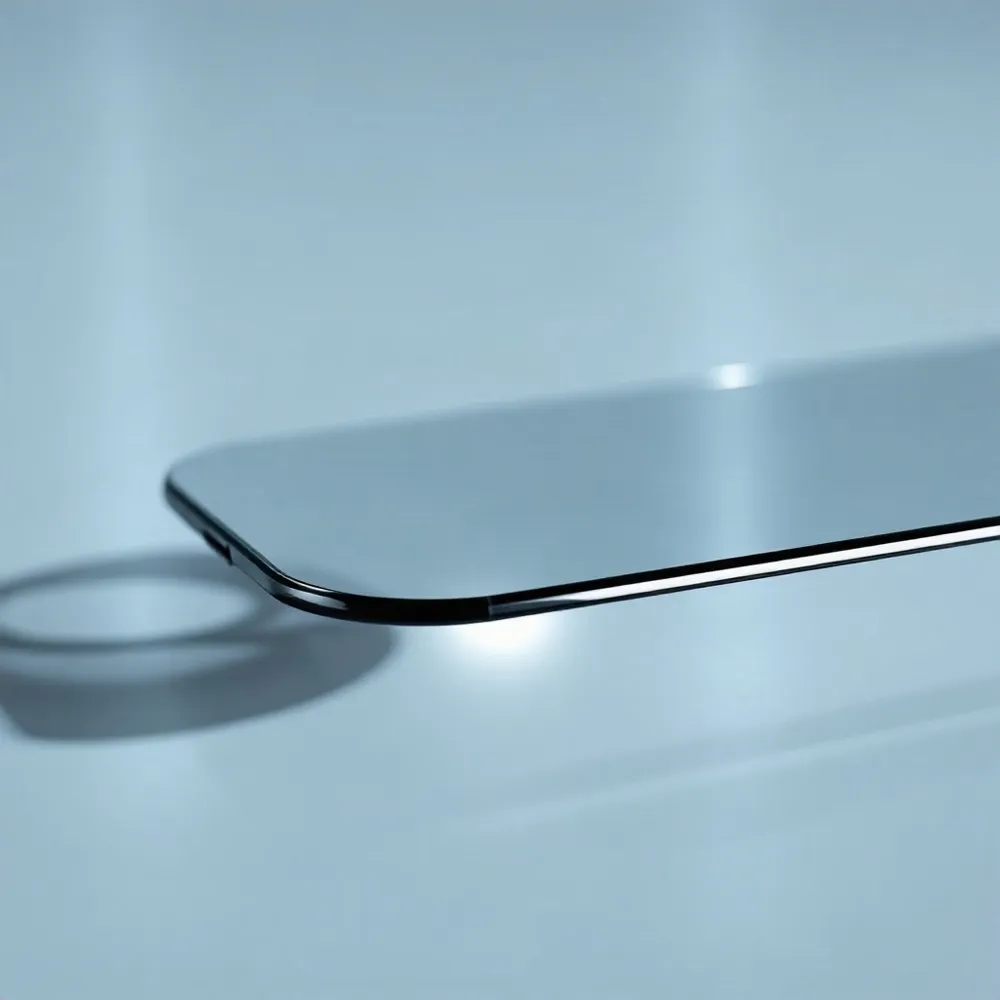
That thin strip of uncovered glass along your phone’s edge isn’t a manufacturing error. Most screen protectors are deliberately cut smaller than the display to solve two problems: curved screens and case interference.
Modern phone screens use 2.5D glass with gently curved edges. A flat piece of tempered glass can’t bend to follow that curve, so if a protector went all the way to the edge, it would lift or peel at the corners. Manufacturers intentionally leave a small gap so the adhesive can maintain full contact across the flat surface.
Phone cases create a second challenge. A full-edge protector would sit flush against the case’s lip, and the pressure from sliding the phone into a tight pocket or bumping the case would push the protector up, creating bubbles. That’s why case-friendly protectors are precision-cut with a slight margin — the gap prevents the case from forcing the protector loose.
This design compromise improves adhesion and compatibility. SuperGuardZ screen protectors are engineered with this intentional gap so they stay flat, work with most cases, and keep your display protected without the frustration of peeling edges.
How a Properly Fitted Protector Should Look
A correctly fitted screen protector should sit centered on the display, leaving a uniform hairline gap of about 1–2 mm from the phone’s edges. It must not overlap the curved edges of the glass or push against your case. The front camera, speaker grille, and sensors should remain completely unobstructed.
Precision measurement is critical. Even a tiny misalignment can cause the protector to miss the display edge or block a sensor cutout, which may interfere with features like Fingerprint Unlock on a Pixel. A protector that fits correctly stays flush without air bubbles and holds firmly over time.
SuperGuardZ precision-cut designs ensure that exact fit. Each protector is tailored to your device’s dimensions, so it works seamlessly with your case and leaves no frustrating gaps or overhang. The result is full protection that feels like it belongs on your phone from the moment you install it.
Curved Screens: The Biggest Challenge for Full Coverage
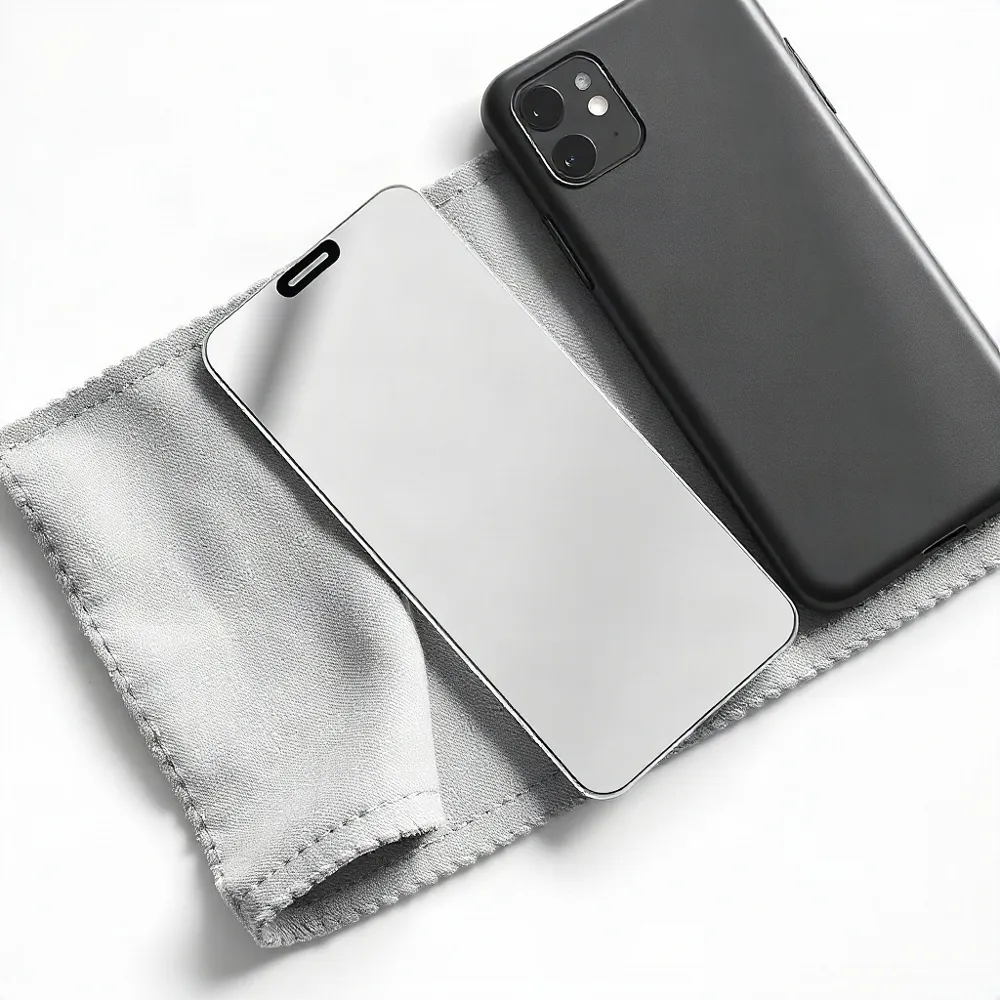
Modern smartphones often come with slightly curved screens that slope down at the edges. This looks sleek, but it creates a challenge for screen protectors: a flat piece of tempered glass can’t bend around those curves. Here’s why that matters for you.
When you press a rigid glass protector onto a curved display, the edges hover above the screen instead of sticking flat. That tiny gap lets dust sneak in and can cause the protector to lift. Manufacturers leave a small gap between the protector and the phone’s bezel to prevent this, which is why many protectors don’t cover the very edge of the display.
For phones with pronounced curves, like the Samsung Galaxy S24 Ultra, even protectors labeled ‘full coverage’ leave a thin border because the glass can’t wrap around the curve. The best solution is a protector designed specifically for curved screens, like the precision-fit options from SuperGuardZ. These protectors use advanced adhesive to conform to your screen’s shape, giving you better edge adhesion and reducing the risk of lifting. Plus, they’re designed to work perfectly with your phone case.
SuperGuardZ offers protectors that balance full coverage with case compatibility, ensuring the edges stay sealed without interfering with your case. That means you get the protection you need without sacrificing style.
Case Compatibility: Why Your Protector Needs a Gap
Your phone case is great for drop protection, but did you know it can actually cause your screen protector to fail? Many cases wrap tightly around the phone’s edges, and if the protector reaches all the way to the bezel, the case can push against it. That’s when you see corners lift and bubbles form — frustrating, right?
That’s where a case-friendly screen protector comes in. SuperGuardZ designs its protectors to be precision-cut slightly smaller than the full display, leaving a small gap around the edges. This tiny gap prevents the case from pushing against the protector, so you get full scratch and impact protection without the hassle of bubbles or shifting. Plus, your phone keeps its sleek look — no unsightly lifting to spoil the style.
For the best fit, we recommend installing your screen protector first, then putting on your case. This way, the protector stays centered and fully adhered from the start. If you install the case first, you risk misaligning the protector, which can lead to an uneven gap and potential lifting.
Common Problems: Bubbles, Lifting, and More
Screen protectors can run into several issues beyond simple misalignment. Bubbles often appear during installation, especially if dust or lint gets trapped beneath the glass. Edge lifting is another frequent frustration, usually caused by a curved display, a tight case, or weak adhesive along the perimeter. Cracking and chipping can happen unexpectedly, particularly in cold weather or when the phone is under pressure in a tight pocket.
Temperature changes and everyday pressure can weaken the glass over time, leading to small cracks that grow. Edge adhesion is especially tricky on curved screens, where the protector’s flat surface can’t follow the phone’s contour, creating a gap that invites dust intrusion. Using a high-quality protector made specifically for your device minimizes these headaches by offering precise cuts and durable materials.
SuperGuardZ screen protectors are designed with full adhesive coverage and rounded edges to resist lifting, even on challenging displays. With the right fit and a careful install, you can avoid most of these frustrations and keep your screen looking flawless.
How to Fix a Misaligned Protector
If you notice the protector is off-center right after applying it, you may still have time to adjust. While the adhesive is still wet, gently lift the offending corner with a piece of tape or a suction cup, realign the protector, and press it down from the center outward. Work slowly to avoid trapping dust or creating new air bubbles.
If the protector has already dried, the best approach is to carefully peel it off. Clean both the screen and the protector with a microfiber cloth to remove any dust or fingerprints. Then reapply using the alignment frame that comes with your SuperGuardZ kit. The frame snaps onto your phone to create precise guides, so the protector lands perfectly centered on the first try.
For a stubborn protector that won’t stick properly after realignment, the adhesive may be worn. SuperGuardZ protectors use advanced adhesive that holds strong and reduces lifting, so if the problem persists, it’s time to replace it with a fresh one for a perfect, lasting fit.
When to Replace: Signs Your Protector Has Failed
A screen protector that cracks, lifts repeatedly, or collects dust under its edges has stopped doing its job. Continuing to use a failed protector leaves your phone’s actual display vulnerable and can even make everyday use frustrating.
Look for clear failure indicators. If multiple corners lift soon after you press them back down, if you spot dust or lint trapped beneath the glass, or if cracks appear across the surface, it is time for a replacement. A cracked protector has lost its ability to absorb impact — any drop that hits that weakened area now transfers force directly to your phone’s screen.
Heavy users should plan to swap protectors every 6 to 9 months. Moderate users can often stretch that to 12 to 18 months before the coating wears thin or the adhesive degrades. SuperGuardZ recommends checking your protector monthly for hairline cracks or peeling edges, especially if you carry your phone in a pocket or bag with keys or coins.
When you do replace, choose a protector built for your specific phone model and case. A precision-cut option, like those from SuperGuardZ, avoids the fit issues that lead to early failure and keeps your screen protected through the next cycle of daily use.
Camera Coverage: To Cover or Not to Cover
When shopping for a screen protector, one of the most common questions is whether the protector should extend over the camera lens or leave it exposed. The answer depends on what matters more to you: scratch protection for the lens or uncompromised photo quality.
Scratch Protection vs. Photo Quality
A protector that covers the camera lens can shield it from scratches caused by keys, coins, or pocket debris. The trade-off is that any layer placed over the lens can introduce glare, reduce contrast, or soften details in your photos. Even high-quality coatings may slightly alter the light entering the sensor, especially in bright or low-light conditions.
If you frequently drop your phone or carry it in a bag with other items, a lens-covering protector offers valuable peace of mind. For photographers or anyone who prioritizes image clarity, a protector with a precise cutout for the camera module is the better choice.
Why a Precise Cutout Matters
A well-designed cutout keeps the camera lens completely uncovered, avoiding any optical interference. It also prevents dust and lint from accumulating around the camera bump, which can cause blurry spots. This design approach is the most common among high-end protectors because it delivers the purest photo quality.
SuperGuardZ screen protectors feature precisely engineered camera cutouts that align perfectly with your device’s lens module. This ensures your photos stay sharp and clear while the rest of your screen gets full protection against scratches and impact. Whether you choose a tempered glass or privacy variant, the cutout is optimized for each phone model, so you never sacrifice image quality for protection.
| Option | Scratch Protection | Photo Quality |
|---|---|---|
| Full lens coverage | Excellent | May reduce clarity and add glare |
| Precise cutout | Lens is exposed | Best possible image quality |
| SuperGuardZ cutout protector | Full screen protected | Uncompromised photos |
Types of Protectors: Finding Your Perfect Match
Not all screen protectors are built the same, and picking the right one depends on how you use your phone. The main options are tempered glass, hydrogel films, and privacy screens. Each has different strengths, and understanding them helps you avoid frustration down the road.
Tempered Glass: The All-Rounder
Tempered glass is the go-to choice for drop protection. It absorbs impact and feels close to your phone’s original display, with good clarity and smooth touch response. Tempered glass is significantly stronger than typical glass, so it takes the hit while your screen stays safe. If you want a protector that takes the hit so your screen doesn’t, this is the pick.
Hydrogel Films: Flexible Fit for Curved Screens
Hydrogel (or TPU) protectors are flexible and self-healing. Minor scratches fade on their own over time, and the material won’t shatter even after serious falls. They are a smart option for phones with curved edges, where a flat piece of tempered glass can’t wrap around the display. The trade-off is that they provide less drop protection than glass, and they can be tricky to install without trapping bubbles or dust. For curved screens where glass protectors leave gaps, hydrogel can offer near-edge-to-edge coverage.
Privacy Films: Keep Your Screen to Yourself
Privacy protectors use a special layered design to limit the viewing angle, so only someone directly in front of the phone can see the screen. From the side, the display appears dark. These are popular for commuters, open-office workers, or anyone handling sensitive info in public. The downside is they can slightly reduce brightness and color accuracy, so they are best when privacy matters more than perfect picture quality.
Which One Should You Choose?
SuperGuardZ offers all three types, so you can match the protector to your actual needs. For everyday toughness, go with tempered glass. For a curved screen that’s hard to cover, choose hydrogel. For public spaces where privacy is a concern, pick a privacy film. Knowing the difference helps you buy the right one the first time.
| Type | Best For | Key Feature |
|---|---|---|
| Tempered Glass | Drop protection, everyday use | High impact resistance |
| Hydrogel (TPU) | Curved screens, scratch resistance | Flexible, self-healing, edge-to-edge fit |
| Privacy Film | Public spaces, sensitive data | Narrow viewing angle; dark from the side |
Does Price Equal Performance?
A $5 screen protector from a discount store and a $40 option from a reputable brand might look similar in the package, but the differences become clear the moment you install and use them. Price often reflects real material and quality gaps.
Higher-priced protectors typically use true 9H tempered glass, which is up to 10x stronger than standard glass. They also include advanced oleophobic coatings that resist fingerprints and smudges far better than budget films, keeping your screen clean and clear. Many premium options, including SuperGuardZ protectors, come with precision-cut edges and full-adhesive backing that bond across the entire display, reducing the risk of corner lifting and maintaining touch sensitivity.
Installation is another area where spending a little more pays off. Expensive protectors often include alignment trays or guide frames that make bubble-free application simple. Budget protectors, by contrast, may lack these tools and use weaker adhesives that trap dust or peel over time. A quality protector from SuperGuardZ is designed to last through daily use without clouding, yellowing, or losing its grip, making it a better long-term value than replacing a cheap protector every few months.
Model Compatibility: Why One Size Doesn’t Fit All
Screen protectors are precision-cut for specific phone models, not universal across devices. The dimensions, sensor cutouts, and edge curves differ between phones, so a protector that works for one model may leave gaps, block sensors, or refuse to adhere on another.
A common example is the iPhone 13 and iPhone 14. The standard iPhone 13 and iPhone 14 share nearly identical dimensions, so most protectors fit both. But the iPhone 14 Pro and Pro Max have slightly different sensor layouts and bezels, so a protector made for the iPhone 13 Pro or Pro Max may not align correctly, potentially causing bubbles or blocking the front-facing camera and Face ID sensors. The iPhone 14 Plus has no direct iPhone 13 equivalent, making those protectors entirely incompatible.
To avoid frustration, always check the packaging for explicit model compatibility. SuperGuardZ clearly lists every compatible iPhone, Samsung Galaxy, and other device model on each package, so you know the protector will fit your phone before you open the box. That small step saves you from misaligned edges, poor adhesion, and a wasted purchase.
Quick Fix: Screen Protector Not Covering Full Screen
If your screen protector leaves a visible strip of uncovered glass, don’t assume it’s defective. The most common cause is something you can check in seconds: your phone case. Many rigid cases push against the protector’s edges, lifting them or making the protector appear too small. Remove the case and check whether the protector lies flat. If it does, you need a case‑friendly design.
Next, confirm you bought the right protector for your exact phone model. Screen protectors are precision-cut for specific devices — an iPhone 13 protector won’t fit an iPhone 14, and a flat protector won’t work on a Samsung Galaxy S24’s curved display. Using the wrong model is the fastest way to end up with gaps.
If you just applied the protector and notice it’s off-center, you may be able to gently lift and reposition it while the adhesive is still fresh. Once the adhesive has fully set, however, trying to move it will likely create bubbles or leave residue. At that point, the simplest fix is to replace it with a correctly sized protector.
SuperGuardZ precision-fit protectors are designed to match your device’s screen edge-to-edge, with exact cutouts for cameras and sensors. They work with most cases and deliver full coverage without the gap. You get durable, crystal-clear protection that stays put from day one, so you can stop worrying about exposed edges and focus on using your phone.
Final Take: A Small Gap for Big Protection
That thin strip of uncovered glass along your phone’s edge is not a flaw — it is a deliberate design choice that ensures your protector stays put and works with your case. A protector that reaches too far will lift, peel, and collect dust. A slightly smaller protector, one that leaves a uniform gap of about 1–2 mm, keeps the adhesive firmly bonded to the flat part of your screen and avoids pressure from your phone’s case.
A quality tempered glass protector from SuperGuardZ offers the best balance: it is precision-cut for your specific model, includes an alignment frame for easy installation, and leaves just enough room at the edges to stay case-friendly without sacrificing coverage. The result is a protector that looks clean, stays on, and does its job — protecting your screen from scratches and drops without the frustration of peeling corners.
When you buy a model-specific protector — not a universal size — you avoid the guesswork. You get a fit that accounts for your phone’s exact dimensions, camera cutouts, and curved edges. Pair it with a case that has a slight gap between its lip and the protector edge, and you are set for hassle-free use. A small gap is a big win for long-term protection.


