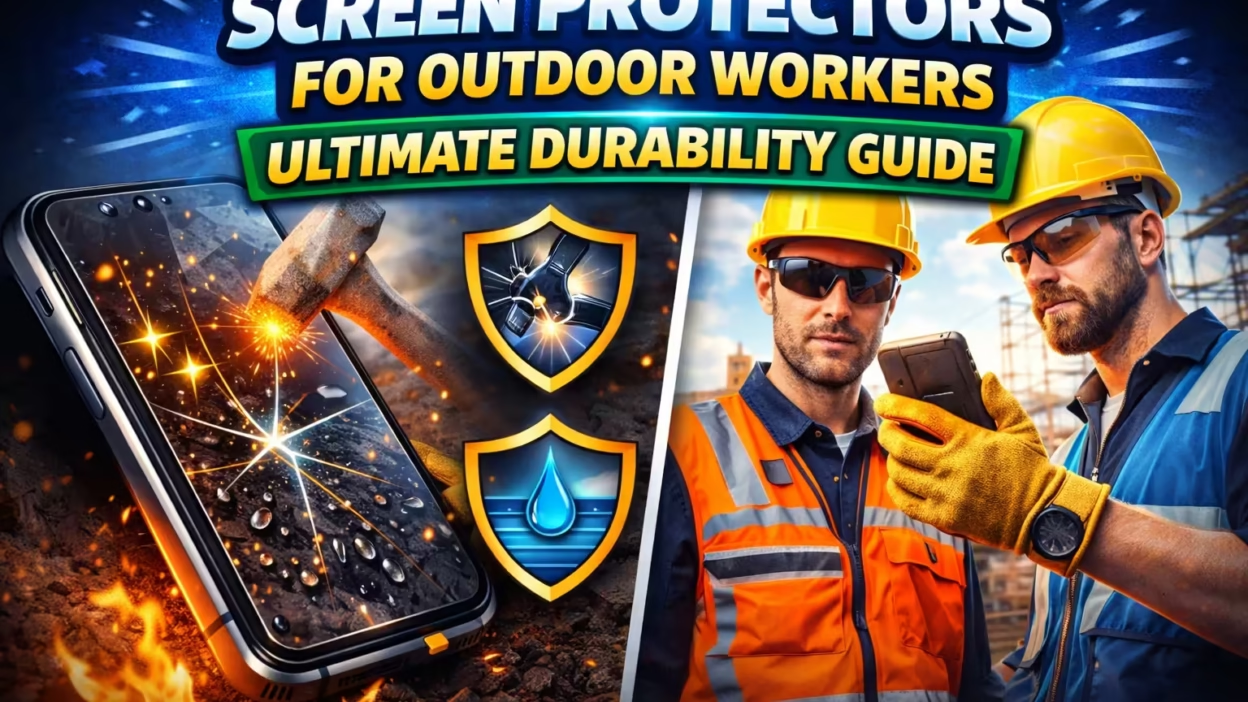
Every day, millions of people work outdoors—on construction sites, in agriculture, delivery services, and many other industries. For these workers, smartphones and tablets are essential tools. They help with communication, reporting, navigation, and even safety. But the outdoor environment is not gentle on electronic devices. Dust, sunlight, drops, and scratches are just some of the threats devices face during a typical workday. That’s where screen protectors come in. These thin layers of material might look simple, but for outdoor workers, they can make the difference between a smooth workflow and a costly device replacement.
This article explores everything you need to know about screen protectors for outdoor workers. From the risks of not using one, to the types available, how to choose, installation tips, and real-world examples—this guide covers it all. Whether you manage a team of field workers, or you are out in the sun every day yourself, understanding screen protectors will help you keep your valuable technology working longer and better.
Why Outdoor Workers Need Screen Protectors
For people who spend their workday outside, devices face much harsher conditions compared to indoor office use. Here are some reasons why screen protection is critical:
- Physical Impact: Outdoor jobs often involve moving heavy equipment, working at heights, or navigating uneven ground. A single drop can crack a screen. Replacing a display is expensive and time-consuming.
- Dust and Dirt: Construction sites, farms, and open roads are full of particles that can scratch or dull a screen. Over time, these tiny scratches make the display hard to read and affect touch sensitivity.
- Sunlight and Glare: Outdoor screens are harder to read because of bright sunlight. Some protectors come with anti-glare coatings that reduce reflections and eye strain, making it easier to see information in all conditions.
- Water and Chemicals: Rain, sweat, or accidental splashes of cleaning solutions can damage screens. Certain protectors add a hydrophobic layer that repels water and chemicals.
- Frequent Cleaning: Outdoor workers often need to clean their devices more often. A strong protector resists scratches from repeated wiping and disinfecting.
Many outdoor workers underestimate how quickly a device can be damaged. One non-obvious fact is that even minor scratches can weaken the glass, making it more likely to shatter next time it’s dropped. Also, a dirty or scratched screen reduces the resale value of the device.
Types Of Screen Protectors
Not all screen protectors are the same. The right choice depends on the working environment, the type of device, and personal preferences. Here are the main types:
1. Tempered Glass Protectors
These are made from toughened glass. They feel similar to the original screen and offer strong protection against drops and scratches. Tempered glass is usually about 0. 3mm thick and may have rounded edges for comfort.
Pros:
- Superior drop and scratch resistance
- Smooth touch, like the original screen
- Easy to clean
Cons:
- Adds some thickness
- May not fit all cases perfectly
- Can shatter in extreme impacts (but protects the real screen underneath)
2. Plastic Film Protectors (pet)
PET (polyethylene terephthalate) protectors are thin, flexible films. They provide basic scratch protection but little defense against drops.
Pros:
- Very thin and light
- Inexpensive
- Easy to replace
Cons:
- Minimal impact resistance
- Can scratch more easily
- Less smooth touch
3. Tpu Protectors
TPU (thermoplastic polyurethane) is a flexible, self-healing plastic. If scratched, the material can recover over time.
Pros:
- Self-healing for minor scratches
- Flexible and shock-absorbing
- Good for curved screens
Cons:
- Slightly tacky feel
- Can discolor over time
- Harder to install without bubbles
4. Anti-glare And Matte Protectors
These have a special coating to reduce reflections from the sun or bright lights. They are useful for outdoor workers who struggle with screen visibility in daylight.
Pros:
- Reduces glare and reflections
- Easier to read in sunlight
Cons:
- Slight reduction in screen clarity
- Fingerprints may still show
5. Privacy Screen Protectors
Privacy protectors use a filter that limits the viewing angle. Only the person directly in front of the screen can see the display clearly.
Pros:
- Keeps information private from onlookers
- Some anti-glare effect
Cons:
- Dimmer display
- More expensive
6. Specialty Protectors
Some protectors combine features, like tempered glass with anti-glare or anti-bacterial coatings. There are also heavy-duty versions for rugged phones used in extreme environments.
Non-obvious tip: Some specialty protectors are designed to work even with gloves on—a big advantage for workers in cold or hazardous settings.
Key Features To Look For
Choosing the right screen protector is about more than just picking glass or plastic. Here are the most important features to consider:
- Hardness Rating: For glass protectors, look for a rating like 9H. This means the glass can resist scratches from materials as hard as a pencil lead with a 9H rating.
- Thickness: Thicker protectors offer better protection but may reduce touch sensitivity. Most tempered glass protectors are around 0.3mm thick.
- Oleophobic Coating: This chemical layer resists fingerprints, smudges, and makes cleaning easier.
- Impact Resistance: Check if the protector can absorb shock from drops. Some brands have lab-tested drop ratings.
- Edge-to-Edge Coverage: Make sure the protector covers the whole screen, especially if you use a rugged case.
- Touch Sensitivity: A good protector should not reduce the responsiveness of your device, even with gloves.
- Easy Installation: Look for protectors that come with installation kits, alignment frames, or adhesive that minimizes bubbles.
- Compatibility with Cases: Some protectors are too thick to fit with certain protective cases. Always check for compatibility.
- Light Transmission: High-quality protectors transmit over 95% of light, so the display stays bright and clear.
- Specialty Coatings: Anti-glare, privacy, anti-bacterial, or hydrophobic coatings add extra benefits for outdoor use.
Hidden insight: Many people focus only on hardness, but flexibility is also important. A protector that can bend a little without cracking absorbs impact better than a very stiff one.
Risks Of Skipping A Screen Protector
Some workers feel a protector is not necessary, especially if their device seems tough. But there are real risks:
- Expensive Repairs: A cracked screen repair can cost hundreds of dollars, not including lost work time.
- Data Loss: If the screen is too damaged to use, you can lose access to important contacts, maps, or reports.
- Reduced Productivity: A scratched or dirty screen is hard to read, slowing down tasks.
- Hygiene Issues: Scratched screens hold more bacteria, which can be a concern, especially when devices are shared.
- Lower Resale Value: Companies often resell or upgrade devices. Damaged screens reduce their trade-in value.
A screen protector is a small investment that can prevent much bigger problems.

How To Choose The Right Screen Protector For Outdoor Work
With so many options, here’s a practical process to select the best protector for your needs:
1. Assess Your Work Environment
- Dusty sites: Choose a protector with high scratch resistance and easy cleaning.
- Wet conditions: Hydrophobic or water-resistant coatings help.
- Glare/Sunlight: Anti-glare or matte finish is essential.
- Privacy needs: Use a privacy filter if handling sensitive info in public.
2. Match To Your Device
Check your device model carefully. Screen protectors are usually made to fit specific models—even slight differences in size or camera placement matter.
3. Consider How You Use Your Device
- Heavy field use: Tempered glass or specialty rugged protectors.
- Frequent glove use: Look for high sensitivity and glove-friendly features.
- Tablet vs. phone: Larger screens need stronger protectors for impact.
4. Budget And Replacement Frequency
If you often replace devices or work in extreme conditions, a less expensive but frequently replaced protector may make sense. For longer device life, invest in a high-quality option.
5. Case Compatibility
Some cases, especially rugged ones, may push against the edges of the protector and cause lifting or bubbling. Choose a protector known to work well with your case.
6. Brand Reputation And Warranty
Pick brands with good reviews from other outdoor workers. Some offer warranties that will replace the protector (or even the device screen) if it fails.
Quick comparison between popular protector types for outdoor work:
| Type | Best For | Main Strength | Main Weakness |
|---|---|---|---|
| Tempered Glass | General outdoor work | Impact & scratch resistance | Can shatter on heavy impact |
| TPU Film | Curved screens, minor impacts | Flexibility, self-healing | Less smooth, can discolor |
| Anti-Glare | Bright sunlight, reading reports | Reduces reflections | Slightly less clear image |
| Privacy | Sensitive information | Keeps data private | Dimmer screen |
Installation Tips And Common Mistakes
Even the best screen protector will not work if installed poorly. Here are steps and tips for perfect installation:
Step-by-step Installation
- Clean Hands: Wash and dry your hands to avoid oil and dust.
- Prepare a Clean Area: Do the installation in a dust-free area. A bathroom after a hot shower works well because humidity reduces airborne dust.
- Clean the Screen: Use the alcohol wipe and dust sticker (usually included) to remove all particles.
- Align the Protector: Without touching the adhesive, line up the protector with your device.
- Apply Slowly: Start from one edge, press down gently, and allow the adhesive to spread naturally.
- Remove Bubbles: Use a card or squeegee to push any air bubbles to the edge.
Common Mistakes
- Skipping cleaning: Even a tiny dust particle can cause a bubble.
- Rushing: Alignment is critical. Take your time.
- Not checking compatibility: Some protectors cover the front camera or sensors, reducing performance.
- Using fingers: Oils from skin can leave marks on the adhesive side.
Insider tip: If you get a stubborn bubble, lift the edge gently with a piece of tape and use another tape to remove the dust, then reapply.
Caring For Your Screen Protector
A screen protector is only useful if kept in good condition. Here’s how to maintain it:
- Clean Regularly: Use a microfiber cloth and a little water or screen-safe cleaner. Avoid harsh chemicals.
- Check for Damage: Replace the protector if you see cracks, deep scratches, or peeling edges.
- Avoid Sharp Objects: Keys, tools, and even sand can scratch some types of protectors. Keep devices in a separate pocket or pouch.
- Reinstall or Replace: If the protector lifts at the edges, try to reinstall. If it won’t stay down, it’s time for a new one.
Advanced tip: Some high-end protectors can be washed and reapplied if they use a static-cling adhesive. This can save money over time.
Real-world Examples: How Screen Protectors Save Devices
Outdoor workers across industries benefit from screen protection. Here are real examples:
- Construction: A foreman dropped his phone from scaffolding. The tempered glass shattered, but the actual screen was unharmed. He simply replaced the protector and continued working.
- Agriculture: A farmer uses a tablet to track crops. Dust and dirt are everywhere, but a matte protector keeps the screen readable and scratch-free.
- Delivery Services: Drivers often use devices in rain or bright sunlight. A hydrophobic, anti-glare protector keeps the screen visible and safe from water damage.
- Field Technicians: Workers wearing gloves found that a high-sensitivity protector allowed them to use touchscreens without removing gloves, saving time and avoiding cold hands.
One less obvious benefit: when devices are shared between team members, a protector reduces wear and makes hygiene protocols easier to follow.
Comparing Popular Brands For Outdoor Use
Not all brands are created equal. Here’s a look at some well-known options, focusing on their strengths for outdoor work:
| Brand | Key Feature | Outdoor Suitability | Price Range |
|---|---|---|---|
| ZAGG InvisibleShield | Strong glass, lifetime warranty | Excellent for heavy use | $$-$$$ |
| OtterBox Alpha Glass | Case compatibility, drop protection | Great with OtterBox cases | $$ |
| amFilm | Affordable, easy to install | Good for frequent replacement | $ |
| Tech Armor | Anti-glare, anti-fingerprint | Strong in sunny conditions | $-$$ |
| JETech | Budget, reliable glass | Solid choice for light field use | $ |
Note: Prices are approximate and vary by device model and protector features.
Key advice: Don’t just buy the cheapest option. For critical outdoor work, a quality protector pays for itself by preventing downtime and repair costs.
Innovations In Screen Protection
Screen protection technology is advancing quickly. Here are some recent developments relevant to outdoor work:
- Antimicrobial Coatings: Some new protectors kill bacteria and viruses on contact, important for shared devices.
- Blue Light Filtering: Protectors that reduce eye strain from long device use in bright sunlight.
- Self-Healing Glass: Materials that can repair minor scratches over time, extending protector life.
- Ultra-Thin Glass: New glass types are as thin as film, combining the best of both worlds.
- Custom Cut for Rugged Devices: More brands now offer protectors for specialized, rugged phones used in industries like oil and gas.
Surprising fact: Some protectors can be paired with device management apps that alert you when it’s time to replace the protector—useful for large teams.
Environmental And Health Considerations
Screen protectors do more than just guard against drops. Here’s how they impact health and the environment:
- Reduces E-Waste: By preventing screen breakage, protectors help devices last longer, reducing electronic waste.
- Improved Hygiene: Antimicrobial and easy-clean coatings support workplace health, especially in shared environments.
- Reduced Eye Strain: Anti-glare and blue light filtering options protect worker eyesight in harsh outdoor light.
- Safer for Glove Use: High-sensitivity films reduce the need to remove gloves, lowering risk of cuts and exposure.
Some companies now use recyclable materials in their protectors, making them more sustainable.
Frequently Asked Questions
What Type Of Screen Protector Is Best For Construction Workers?
For construction workers, tempered glass protectors are usually the best. They offer strong impact resistance, are easy to clean, and feel natural to the touch. For jobs with lots of dust, a protector with an oleophobic coating is helpful. If sunlight is a problem, look for a glass protector with an anti-glare feature.
How Often Should I Replace My Screen Protector?
Replace your screen protector whenever you notice cracks, deep scratches, or if it starts peeling at the edges. For heavy outdoor use, you may need to replace it every few months. Frequent inspection is key to keeping your device protected.
Can Screen Protectors Affect Touch Sensitivity, Especially With Gloves?
Some low-quality protectors can reduce sensitivity. For outdoor workers who use gloves, choose a protector labeled high sensitivity or “glove-friendly.” Test before buying if possible. Many modern protectors work well with most gloves.
Are Privacy Screen Protectors Suitable For Outdoor Workers?
Privacy protectors are useful for workers handling sensitive information in public or crowded areas. However, they can make the screen dimmer, which may be a problem in bright sunlight. Consider a high-quality privacy protector designed for outdoor visibility.
Where Can I Find More Information On Device Protection For Outdoor Environments?
You can find more detailed studies and guidelines about device protection for harsh environments at resources like the U.S. Occupational Safety and Health Administration.
Keeping your device safe on the job is not just about using a tough case. The right screen protector is a smart investment for any outdoor worker. It defends against drops, scratches, glare, and even bacteria—helping you stay productive, safe, and connected in all conditions. Take the time to choose and care for your screen protector, and your device will reward you with a longer, more reliable life on the job.