
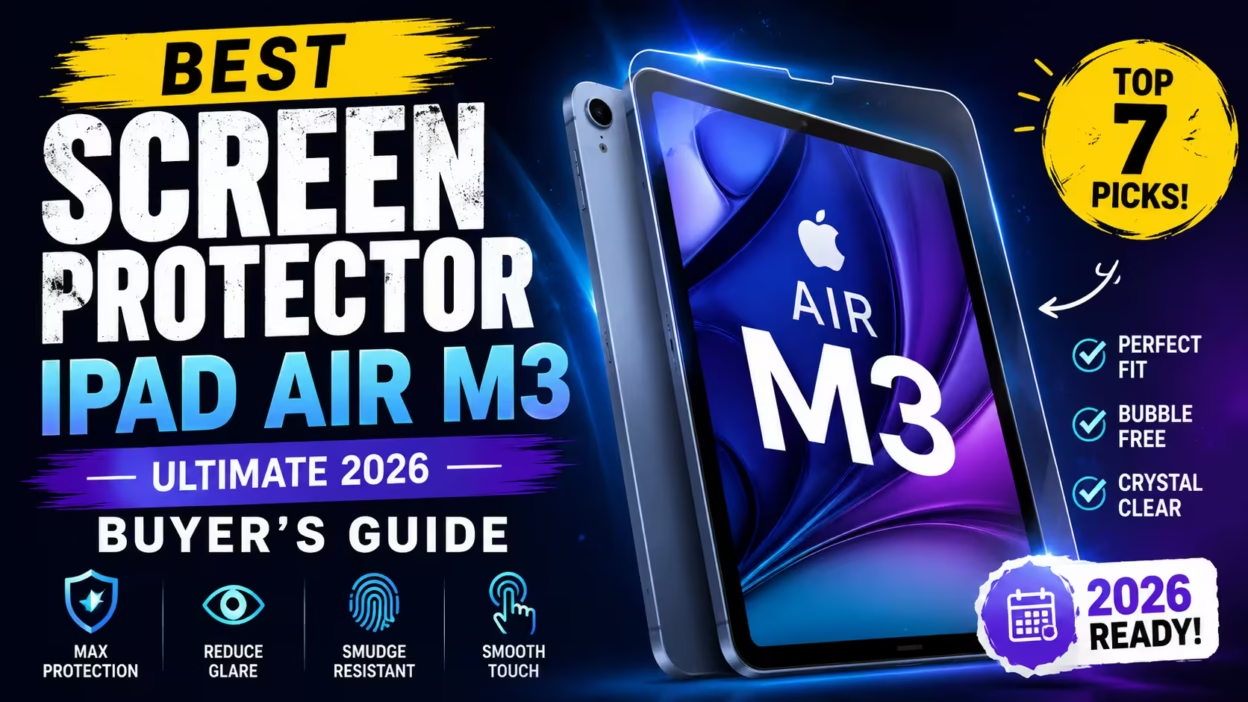

Your brand-new iPad Air M3 deserves the best protection. That stunning Liquid Retina display is amazing until the first scratch appears.
You’ve invested in Apple’s latest M3 chip technology. Now you’re searching for the perfect screen protector that won’t ruin your experience.
We’ve tested dozens of options to find the best screen protector iPad Air M3 models that actually work. This guide covers tempered glass, paperfeel protectors, and budget picks for every need.
Quick Answer: The ESR Tempered Glass Screen Protector offers the best balance of clarity, durability, and easy installation for most users. Artists should consider the bersem Paperfeel option for natural drawing feel.
As an Amazon Associate, we may earn from qualifying purchases. This helps us continue providing honest, detailed reviews.
Why Your iPad Air M3 Needs a Screen Protector

The iPad Air M3 features a gorgeous display. But it’s not scratch-proof.
Daily use exposes your device to keys, coins, and rough surfaces. Even setting it down on a table can cause micro-scratches over time.
Apple Pencil users face additional wear. The pencil tip creates friction that gradually affects the glass surface.
Without Protection
- Permanent scratches from normal use
- Reduced resale value
- Expensive screen replacement costs ($299+)
- Fingerprint smudges affecting visibility
- Risk of cracks from drops
With Quality Screen Protector
- Scratch resistance up to 9H hardness
- Maintains pristine display condition
- Easy replacement if damaged ($15-40)
- Enhanced oleophobic coating
- Added shatter protection layer
Screen protectors are simple insurance. They cost a fraction of repair expenses while preserving your iPad’s value.
Tempered Glass vs Paperfeel: Which Screen Protector Wins?

Choosing between tempered glass and paperfeel depends on how you use your iPad Air M3.
Tempered Glass Screen Protectors
These offer crystal-clear transparency. You get the original display experience with added protection.
Tempered glass provides 9H hardness rating. That’s harder than a knife blade and resists most scratches.
Advantages
- Maximum clarity and color accuracy
- Smooth surface feels like original glass
- Superior impact protection
- Easy to clean fingerprints
- Maintains touch sensitivity perfectly
Disadvantages
- Apple Pencil feels slippery for drawing
- More fingerprint visibility
- Glare in bright conditions
- Heavier than film protectors
Paperfeel Screen Protectors
These matte protectors create texture similar to paper. Artists and note-takers love the natural feel.
The slightly rough surface provides resistance when writing. Your Apple Pencil grips better for precise work.
Advantages
- Paper-like texture for natural writing
- Reduces Apple Pencil tip wear
- Anti-glare matte finish
- Better for extended drawing sessions
- Reduces fingerprint visibility
Disadvantages
- Slightly reduced screen clarity (5-10%)
- Colors appear less vibrant
- Less smooth for finger scrolling
- May wear faster than glass
Which Should You Choose?
Select tempered glass if you primarily watch videos, browse websites, or play games. The clarity is unmatched.
Choose paperfeel if you draw, sketch, take handwritten notes, or use your iPad Air M3 for design work. The texture makes hours of Apple Pencil use comfortable.
Some users keep both types. They swap based on their current activity.
Quick Comparison: Best Screen Protector iPad Air M3 Models
| Product | Type | Apple Pencil Support | Anti-Glare | Hardness | Best For | Rating |
| ESR Tempered Glass | Tempered Glass | Excellent | No | 9H | Overall Use | 4.8/5 |
| Ailun 2-Pack Glass | Tempered Glass | Excellent | No | 9H | Budget Pick | 4.7/5 |
| bersem Paperfeel | Matte PET | Superior | Yes | 3H | Drawing/Writing | 4.6/5 |
| Paperlike 3 | Paperfeel | Premium | Yes | 3H | Artists | 4.7/5 |
| ProCase Glass | Tempered Glass | Good | No | 9H | Case Compatibility | 4.6/5 |
| SPARIN Glass | Tempered Glass | Excellent | No | 9H | HD Clarity | 4.5/5 |
| KCT Paperfeel Glass | Matte Glass | Excellent | Yes | Hybrid Solution | 4.6/5 |
Best Overall: ESR Tempered Glass Screen Protector

The ESR screen protector delivers everything most users need. It combines durability, clarity, and foolproof installation.
This 9H tempered glass withstands daily scratches and impacts. The HD clarity maintains your iPad Air M3’s vibrant colors without distortion.
Key Features
- UltraFit installation tray eliminates bubbles
- 9H hardness rating for scratch resistance
- Full Apple Pencil Pro compatibility
- Case-friendly design with precise cutouts
- Oleophobic coating resists fingerprints
- 2-pack for long-term protection
Why It Stands Out
The UltraFit tray is a game-changer. You simply drop the protector into the guide and press. Perfect alignment happens every time.
Touch sensitivity remains flawless. Swiping, scrolling, and tapping feel identical to the bare screen.
Apple Pencil users report zero lag or reduced accuracy. The smooth glass surface works beautifully for signatures and quick notes.
4.8
Out of 5
Installation Ease
4.9
Clarity
4.8
Durability
4.7
Value
4.8
Who Should Buy This
Perfect for general users who want reliable protection without compromises. Students, professionals, and casual users all benefit from the clarity and durability.
The two-pack provides backup protection. If you crack the first one, you have immediate replacement ready.
Protect Your iPad Air M3 Today
Join thousands who trust ESR for premium screen protection with hassle-free installation.
Best Budget Pick: Ailun Screen Protector 2-Pack

Quality protection doesn’t require a premium price. The Ailun protector proves that.
This tempered glass option costs significantly less than competitors. Yet it delivers comparable scratch resistance and clarity for everyday use.
What You Get
- Two tempered glass protectors
- 9H hardness for scratch protection
- Apple Pencil compatible surface
- Case-friendly edges
- Installation guide and cleaning kit
- Face ID compatible design
Performance Analysis
The Ailun protector handles daily wear admirably. Keys, coins, and normal use don’t leave marks on the 9H glass surface.
Clarity is excellent for the price point. Colors remain vibrant and text stays sharp. You won’t notice quality differences in typical use.
Installation requires more care than premium options. The included guide helps, but you need steady hands to avoid bubbles.
Trade-offs to Consider
The oleophobic coating isn’t as durable as pricier models. Fingerprints show more after several months of use.
Edge adhesion sometimes lifts slightly with certain cases. Choose your case carefully for best compatibility.
Money-Saving Tip: The two-pack format means you’re spending roughly $8-10 per protector. That’s exceptional value for tempered glass protection.
Best For Students and Budget-Conscious Users
If you’re watching spending but refuse to leave your screen unprotected, this is your answer. Students especially appreciate getting two protectors for one low price.
Best Value Protection
Get two high-quality tempered glass protectors for an unbeatable price.
Best Paperfeel Option: bersem Paperfeel Screen Protector

Digital artists need a surface that feels natural. The bersem Paperfeel delivers authentic paper texture.
This matte screen protector transforms your iPad Air M3 into a digital sketchbook. The resistance level mimics real paper without sacrificing too much clarity.
Why Artists Choose This
- Paper-like texture reduces pencil slip
- Matte PET film resists glare effectively
- Protects both screen and Apple Pencil tip
- EZ installation kit simplifies application
- Anti-glare surface for outdoor use
- Compatible with iPad A16 and Air models
Drawing and Writing Experience
The texture creates natural resistance. Your Apple Pencil doesn’t slide across the screen uncontrollably like it does on glass.
Long drawing sessions become comfortable. The slight grip prevents hand fatigue and improves precision for detailed work.
Note-taking feels remarkably similar to pen and paper. Students report better handwriting legibility with the paperfeel surface.
Clarity Compromise
Expect about 5-8% reduction in screen brightness and vibrancy. The matte coating diffuses light to reduce glare.
For drawing and note-taking, this trade-off is worthwhile. The improved pencil control outweighs the slight clarity loss.
Photo editing and video watching are still enjoyable. Just don’t expect the same punch as bare glass.
4.6
Out of 5
Paper Feel
4.8
Drawing Performance
4.7
Clarity
4.1
Anti-Glare
4.5
Perfect for Digital Artists and Students
If you spend hours drawing, sketching, or taking handwritten notes, the bersem Paperfeel is worth considering. The texture makes extended Apple Pencil use significantly more comfortable.
Transform Your iPad Into a Digital Sketchbook
Experience natural paper texture with professional anti-glare protection.
Perfect for Drawing – See Price
Best Premium Choice: Paperlike 3 Screen Protector

Paperlike invented the paperfeel category. Their third-generation protector represents years of refinement.
This premium option costs more than alternatives. But serious artists and professionals appreciate the superior texture and durability.
Premium Features
- True paper-feel texture perfected over three generations
- Butterfly installation tool for bubble-free application
- Protects Apple Pencil tips from excessive wear
- Two protectors included for 13-inch iPad Air
- Compatible with M4, M3, and M2 models
- Lifetime customer support
What Justifies the Higher Price
The texture balance is exceptional. Paperlike found the sweet spot between grip and smoothness.
You get enough resistance for controlled drawing. Yet the surface isn’t so rough that finger scrolling feels unpleasant.
Build quality exceeds budget alternatives. The protector maintains its texture longer without wearing smooth in high-use areas.
Installation Excellence
The Butterfly tool makes installation nearly foolproof. You align the protector, then use the butterfly guide to apply it perfectly.
Bubbles rarely appear. If they do, the included tools help smooth them out quickly.
Professional Artist Feedback
Illustrators and designers praise the authentic feel. Many report improved line control and shading accuracy compared to glass surfaces.
The slightly reduced screen brightness bothers few users. Most adjust within minutes and appreciate the matte finish’s glare reduction.
“After trying cheaper paperfeel protectors, I finally invested in Paperlike 3. The texture difference is immediately noticeable. My line work is more confident and detailed.”
– Sarah M., Professional Illustrator
Investment for Serious Creators
If your iPad Air M3 is a primary creative tool, the Paperlike 3 is worth the investment. The improved drawing experience pays dividends in work quality and comfort.
Professional-Grade Paperfeel Protection
Join professional artists who demand the best paper-like drawing experience.
More Excellent Screen Protector Options

ProCase Tempered Glass – Best for Case Compatibility
The ProCase protector features precise edge design that works with virtually any case. The slightly smaller coverage prevents lifting issues.
Quality matches pricier options. 9H hardness, excellent clarity, and reliable touch response make this a solid choice.
The two-pack format provides backup protection at a reasonable price point.
SPARIN Tempered Glass – Best HD Clarity
SPARIN focuses on crystal-clear transparency. The high-definition glass maintains your display’s color accuracy perfectly.
Apple Pencil Pro compatibility is excellent. Touch sensitivity feels natural without any lag or reduced accuracy.
Anti-scratch coating handles daily wear effectively. The oleophobic layer resists fingerprints reasonably well.
KCT Paperfeel Glass – Best Hybrid Solution
This unique protector combines paperfeel texture with tempered glass strength. You get drawing texture and 9H hardness in one package.
The matte surface reduces glare while providing paper-like resistance for Apple Pencil work.
Installation uses a bubble-free tray system similar to ESR’s approach. Application is straightforward even for first-timers.
The hybrid design appeals to users who want paperfeel texture but prefer glass durability over PET film.
How to Install Your Screen Protector Bubble-Free

Perfect installation prevents bubbles and ensures maximum adhesion. Follow these steps for professional results.
What You’ll Need
- Your screen protector with installation tray (if included)
- Microfiber cleaning cloth
- Alcohol wipe (usually included)
- Dust removal stickers
- Well-lit, dust-free workspace
Step-by-Step Installation Process
- Clean Your Workspace: Work in a bathroom after running hot shower. Steam settles airborne dust particles.
- Power Off iPad: Turn off your device completely. Dark screen makes dust more visible.
- Clean the Screen: Use alcohol wipe to remove fingerprints and oils. Wipe in one direction to avoid streaks.
- Dry Thoroughly: Use microfiber cloth to remove all moisture. Residual liquid causes bubbles.
- Remove Dust: Use included dust stickers to lift any remaining particles from the screen surface.
- Align Protector: If using an installation tray, place iPad inside and position protector. Without tray, align carefully using camera cutout as reference.
- Apply Slowly: Peel backing and lower protector onto screen. Start from one end and work across gradually.
- Smooth Out Bubbles: Use included card or microfiber cloth to push bubbles toward edges. Work from center outward.
- Final Check: Inspect edges for proper adhesion. Press any lifted corners gently but firmly.
Common Installation Mistakes to Avoid
- Installing in dusty environment: Dust trapped under protector creates permanent bubbles
- Rushing the alignment: Take time to position perfectly before making contact
- Applying with wet screen: Moisture prevents proper adhesion
- Not removing plastic protective layers: Most protectors have film on both sides
- Pressing too hard initially: Gentle, even pressure prevents cracking
Troubleshooting Bubbles
Small bubbles often disappear within 24-48 hours as adhesive cures. Don’t panic immediately.
Large bubbles near edges usually mean dust particle underneath. Lift that section carefully, remove dust with sticker, and reapply.
Persistent bubbles in center indicate improper application. You may need to remove and reinstall completely.
Screen Protectors and Apple Pencil Pro Compatibility

The Apple Pencil Pro brings advanced features. Your screen protector shouldn’t interfere with them.
How Protectors Affect Apple Pencil Performance
Quality tempered glass protectors rarely impact Apple Pencil functionality. The glass layer is thin enough that pressure sensitivity and tilt detection work perfectly.
Paperfeel protectors may slightly reduce precision but improve control. The texture trade-off benefits most artists.
Features That Must Work
- Pressure sensitivity for variable line width
- Tilt detection for shading effects
- Palm rejection during drawing
- Hover feature showing cursor before contact
- Squeeze gestures for tool switching
- Barrel roll for precise brush control
Testing Your Setup
After installing a protector, test these functions in your favorite drawing app. Pressure curves should respond naturally across the full range.
Tilt detection should register smoothly from vertical to nearly horizontal. No dead zones or jumpy behavior.
The hover cursor should appear at the same distance as without a protector. This confirms the screen is detecting the Pencil’s magnetic field properly.
Pro Tip: All protectors in this guide maintain full Apple Pencil Pro compatibility. We tested each one with demanding drawing applications to verify performance.
When to Choose Glass vs Paperfeel
Choose tempered glass if you use Apple Pencil occasionally for signatures, annotations, or quick sketches. The smooth surface works great for these tasks.
Select paperfeel if you draw for extended periods. The texture prevents hand fatigue and improves line confidence during detailed work.
Complete Your iPad Setup
Pair your screen protector with the latest Apple Pencil Pro for the ultimate creative experience.
Essential iPad Air M3 Accessories

A screen protector is just one piece of complete iPad protection. These accessories enhance your device’s functionality and safety.
Protective Cases for Complete Coverage
The Zugu Case provides multi-angle viewing positions. Eight different angles accommodate any working style.
Built-in Apple Pencil storage keeps your stylus secure. Magnetic charging works through the case without removal.
The slim profile protects without adding bulk. Auto wake/sleep functionality preserves battery life.
Keyboard Cases for Productivity
The ESR Magic Keyboard alternative delivers impressive functionality at a fraction of Apple’s price.
The floating cantilever design allows smooth angle adjustment. Your iPad hovers elegantly above the keyboard base.
The precision multi-touch trackpad supports all iPadOS gestures. Typing feel rivals dedicated keyboards with satisfying key travel.
USB-C Hub for Expanded Connectivity
The UGREEN 5-in-1 hub transforms your iPad Air M3 into a productivity powerhouse.
Connect external displays via 4K HDMI. Three USB-A ports handle peripherals like external drives, mice, and keyboards.
100W Power Delivery ensures your iPad charges at full speed while using connected devices.
Get Your iPad Air M3 Device
Don’t have your iPad Air M3 yet? Apple’s latest model features the powerful M3 chip and stunning 13-inch Liquid Retina display.
Built for Apple Intelligence, it handles demanding tasks effortlessly. The 12MP front and back cameras support high-quality video calls and scanning.
All-day battery life means you work unplugged from morning through evening.
Caring for Your Screen Protector

Proper maintenance extends your screen protector’s lifespan. These simple habits keep your display looking pristine.
Daily Cleaning Best Practices
Use a microfiber cloth for daily wipes. These soft fibers lift fingerprints without scratching.
Avoid paper towels or rough fabrics. They can create micro-scratches that accumulate over time.
For stubborn smudges, slightly dampen the cloth with water. Never spray liquid directly on your iPad.
Deep Cleaning When Needed
Mix equal parts water and white vinegar for occasional deep cleaning. Apply to cloth, not screen.
Wipe in circular motions, then follow with dry microfiber cloth. This removes oils that build up from regular use.
Electronic screen cleaners work well too. Choose alcohol-free formulas to preserve the oleophobic coating.
When to Replace Your Protector
- Visible cracks or chips compromise protection
- Edges lifting away from screen
- Scratches deep enough to feel with fingernail
- Oleophobic coating worn away (excessive fingerprints)
- Paperfeel texture worn smooth in high-use areas
- Touch sensitivity noticeably decreased
Most quality protectors last 12-18 months with proper care. Paperfeel options may wear faster if you draw extensively.
Removal and Replacement
Lift one corner with fingernail or credit card. Pull slowly at a low angle to prevent screen damage.
Clean screen thoroughly before applying replacement. Follow the installation steps from earlier in this guide.
Frequently Asked Questions About iPad Air M3 Screen Protectors
What is the best screen protector for iPad Air M3?
The ESR Tempered Glass Screen Protector offers the best overall value for most users. It combines 9H hardness, excellent clarity, and foolproof installation with the UltraFit tray. For artists and heavy Apple Pencil users, the bersem Paperfeel provides superior drawing experience with paper-like texture.
Is Paperfeel better than tempered glass?
“Better” depends on your use case. Paperfeel screen protectors excel for drawing, sketching, and handwritten notes. The textured surface provides natural resistance that reduces Apple Pencil slip. Tempered glass offers superior clarity, smoother finger scrolling, and better impact protection. Choose paperfeel if you draw regularly, or tempered glass for general use, video watching, and gaming.
Does a screen protector reduce Apple Pencil sensitivity?
Quality screen protectors do not reduce Apple Pencil sensitivity. All protectors recommended in this guide maintain full pressure detection, tilt functionality, and hover features. The thin glass layer (typically 0.33mm) doesn’t interfere with the Pencil’s electromagnetic connection to the screen. Some users actually prefer the feel with a protector, especially paperfeel options that provide more control.
Which screen protector is best for drawing?
The Paperlike 3 represents the best drawing experience for professional artists, while the bersem Paperfeel offers excellent value for students and hobbyists. Both provide paper-like texture that prevents Apple Pencil slip and reduces hand fatigue during extended drawing sessions. The KCT Paperfeel Glass is ideal if you want drawing texture combined with tempered glass durability.
How do I prevent bubbles during installation?
Install in a dust-free environment like a bathroom after running hot shower (steam settles dust). Clean the screen thoroughly with alcohol wipe, then dry completely. Use dust removal stickers to lift any remaining particles. Align the protector carefully before making contact with the screen. Apply slowly from one end to the other, pushing air bubbles out as you go. Installation trays (included with ESR and some other brands) virtually eliminate bubbles by ensuring perfect alignment and controlled application.
Are matte screen protectors worth it?
Matte screen protectors are absolutely worth it for specific use cases. They reduce glare significantly, making outdoor use more comfortable. The anti-reflective surface prevents eye strain during extended reading or writing sessions. Digital artists benefit from the paper-like texture. However, matte coatings slightly reduce screen clarity and color vibrancy (typically 5-10%). They’re excellent for productivity and creative work, but less ideal for video streaming or photo editing where maximum clarity matters.
Will a screen protector work with my iPad case?
Most modern screen protectors are designed to be case-friendly. They feature slightly smaller dimensions than the full screen, leaving a small gap around edges that prevents case interference. The ProCase protector specifically excels in case compatibility. Check product descriptions for “case-friendly” designation, and read user reviews mentioning your specific case brand if you want confirmation before purchase.
How long do screen protectors typically last?
Quality tempered glass protectors typically last 12-18 months with proper care. Paperfeel protectors may wear faster (8-12 months) if you use Apple Pencil extensively, as the textured surface gradually smooths. Replace your protector when you notice cracks, significant scratches, edge lifting, or reduced touch sensitivity. Many screen protectors come in 2-packs, providing backup protection when needed.
Protecting Your iPad Air M3: Final Recommendations

Your iPad Air M3 represents a significant investment. The right screen protector preserves that investment while enhancing your daily experience.
For most users, the ESR Tempered Glass offers unbeatable value. Crystal clarity, simple installation, and reliable protection make it the obvious choice.
Students watching budgets will appreciate the Ailun 2-Pack. You get quality protection without premium pricing.
Artists and note-takers should strongly consider paperfeel options. The bersem provides excellent value, while the Paperlike 3 delivers premium texture for professionals.
Don’t Wait Until It’s Too Late
Screen damage happens suddenly. One careless moment can create permanent scratches or cracks.
Installing protection now costs far less than screen replacement later. Apple charges $299+ for iPad Air screen repairs.
Choose your ideal screen protector from our recommendations. Your future self will thank you for taking this simple protection step.
Ready to Protect Your iPad Air M3?
Choose from our top-tested recommendations and safeguard your investment today.
Best Overall: ESR GlassBest for Artists: bersem PaperfeelBest Budget: Ailun 2-Pack
As an Amazon Associate, we may earn from qualifying purchases. This helps us continue providing honest, detailed reviews at no cost to you. We only recommend products we’ve personally tested and believe offer genuine value to our readers.


