
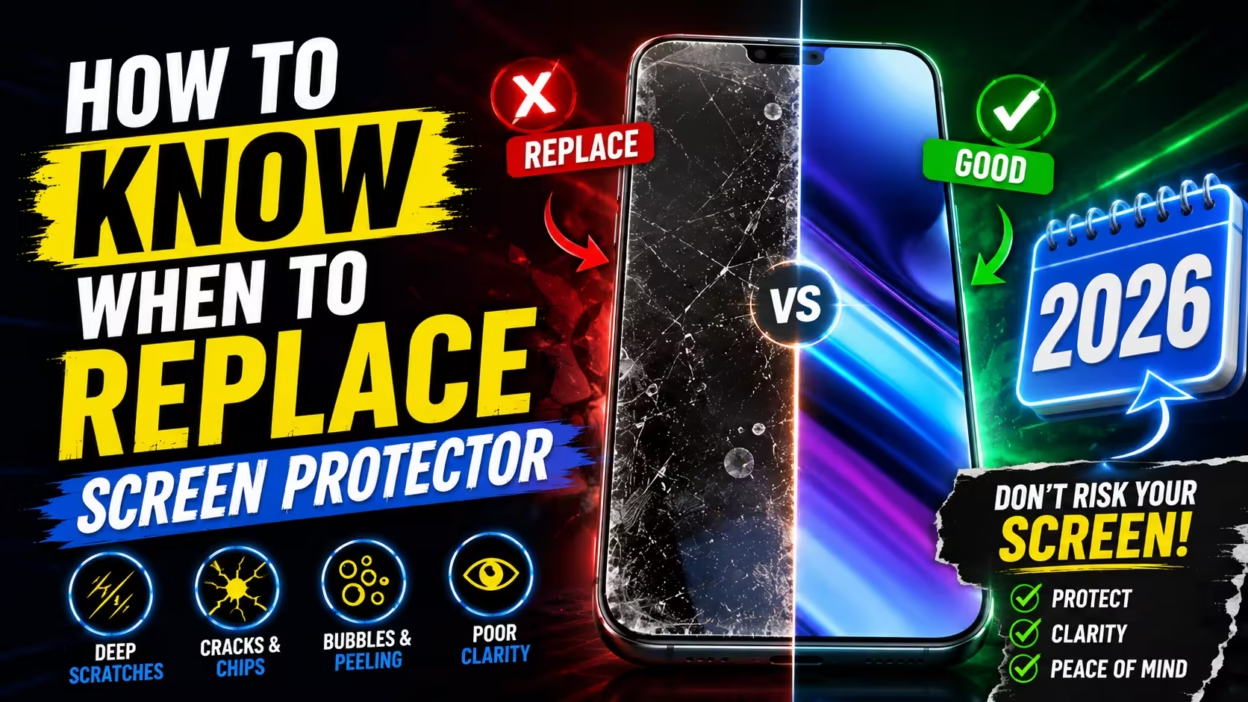

Your smartphone’s screen is a big investment. It needs good care. A quality screen protector is like a sacrificial layer. It takes the hit of daily wear and tear, protecting your phone’s glass.
Even the toughest materials can wear out over time. Spotting wear signs early lets you replace your screen protector before damage gets to your screen. Being proactive keeps your screen clear and responsive for daily use.
Knowing when to replace your screen protector helps avoid damage. It keeps your phone’s screen looking and working great.
Key Takeaways
- Shields act as a sacrificial layer to prevent permanent glass damage.
- Visible cracks or deep scratches indicate the material has lost its structural integrity.
- Peeling edges often signal that the adhesive is failing and debris may enter.
- Reduced touch sensitivity is a clear sign that the surface layer is worn out.
- Regular maintenance preserves the resale value and visual clarity of your smartphone.
Understanding the lifespan of screen protectors
Your screen protector is a key defense for your device, but it won’t last forever. Many wonder, when should i replace my screen protector to keep it clear and responsive. These protectors face constant wear and tear, which weakens them over time.
Factors influencing durability
The life of a screen protector depends on your environment and how you handle it. High-quality tempered glass lasts longer than thin plastic films. But even the toughest materials can wear down from tiny scratches.
Being around sand, carrying keys in your pocket, or dropping your phone often can make it wear out faster.
“The longevity of a screen protector is directly proportional to the harshness of the environment it encounters daily.”
Several key factors affect how long your screen protector lasts:
- Surface Abrasions: Constant contact with abrasive materials like grit or metal.
- Adhesive Quality: High-end protectors use premium silicone adhesives that resist lifting.
- Environmental Exposure: Extreme heat or humidity can weaken the bond between the protector and the glass.
Average replacement frequency for daily heavy use
If you’re wondering how often should you replace screen protector, it depends on how much you use it. For those who use their screen a lot, you might see a drop in quality sooner. Experts say to replace your screen protector every 6 months to keep it smooth and clear.
Heavy users face more wear and tear, like from pocket storage or outdoor work. This can damage the oleophobic coating, leading to smudges and fingerprints. Replacing your screen protector every six months helps protect against scratches and damage.
Physical signs of damage and wear
Spotting the signs you need a new screen protector can protect your screen from harm. These protectors can’t handle everything, so it’s good to check them often. This way, you know if your device is safe or if it’s time for a new one.
When to replace cracked screen protector
A spiderweb crack or a deep fissure means it’s time for a new one. You should replace cracked screen protector units right away. Once it’s broken, it can’t protect your screen from future damage.
Also, jagged edges from a crack can hurt your fingers. It’s important to remove the old protector carefully to avoid scratches or injuries.
Identifying deep scratches versus surface scuffs
Some people wonder if they should replace a screen protector with just scratches. Surface scuffs are usually okay unless they bother you. They don’t affect the glass underneath.
But deep scratches are a problem. If you can feel them with your fingernail, it’s time for a new one. These scratches can trap dirt and damage your screen.
Screen protector lifting corners when to replace
Adhesive failure is another sign it’s time for a new screen protector. If your screen protector peeling at edges replace it quickly. This prevents dust from getting under it and scratching your screen.
Also, if the corner of your screen protector is lifting, it’s time for a new one. A good fit is key to keeping your device in good shape.
| Damage Type | Severity | Recommended Action |
|---|---|---|
| Surface Scuffs | Low | Monitor for visibility |
| Deep Scratches | Medium | Replace soon |
| Spiderweb Cracks | High | Replace immediately |
| Lifting Corners | High | Replace immediately |
How to know when to replace screen protector due to adhesive failure
Over time, the bond between your phone screen and its protector can weaken. This bond is key for a clear view and keeping the protector in place. When it fails, your device is no longer protected from impacts or debris.
Screen protector bubbles won’t go away replace
Many think air pockets are just from bad installation. But if screen protector bubbles won’t go away replace it right away. These bubbles often mean the adhesive has dried out or gotten dusty.
Once air gets in, it can’t be fixed by pressing. This gap lets moisture and lint in, damaging the adhesive. Ignoring these bubbles can harm your screen over time.
Screen protector adhesive wearing off replace
You might see the edges of your protector lifting. If you notice the screen protector adhesive wearing off replace it to avoid more problems. This peeling is usually because the adhesive has lost its stickiness, possibly from heat or aging.
When the edges lift, your screen is no longer protected. This makes it more likely to get scratched or cracked. Replacing the protector keeps your device safe from harm.
How to tell if screen protector is worn out
To know if your screen protector is worn out, look for signs. Check for a hazy look, lifting at the corners, or a loss of touch sensitivity. If it looks cloudy or has debris trapped, it’s time for a new one.
| Indicator | Status | Action Required |
|---|---|---|
| Edge Lifting | Severe | Immediate Replacement |
| Persistent Bubbles | Moderate | Replace Soon |
| Surface Haze | Minor | Monitor Closely |
| Debris Underneath | Severe | Replace Immediately |
Impact of oleophobic coating degradation
If your phone feels sticky or covered in smudges, the oleophobic coating might be worn out. This layer keeps your screen clean by repelling oils and fingerprints. But, it naturally breaks down over time, making your screen dirty.
Why the oleophobic coating wears off
Friction from your fingers and harsh cleaners cause it to degrade. Every touch and swipe wears away the oil-repellent molecules. Using alcohol-based cleaners speeds up this process, making the oleophobic coating worn off screen protector surfaces feel rough.
“A clean screen is not just about aesthetics; it is about maintaining the tactile integrity of your device’s interface.”
Signs your phone screen needs protection
Knowing when your screen needs protection is key for a great user experience. If your screen attracts more fingerprints than before, it’s a sign. Constantly wiping the glass means the protective layer has failed.
- Increased smudge accumulation after minimal use.
- A noticeable “drag” or friction when scrolling.
- Visible streaks that do not disappear with a simple microfiber wipe.
How to check if screen replacing
To see if you need a new screen, try the water drop test. If a small water droplet beads up, the coating is good. But, if it spreads out, it’s time for a new screen.
Also, watch for any yellowing of the screen. If it happens, it means the screen is breaking down. Getting a new screen will make your phone feel like new again.
Performance issues and touch sensitivity
A screen protector should feel like it’s not there, but sometimes it gets in the way. If your taps or swipes don’t work right, it’s really annoying. This usually happens because of the physical barrier between your finger and the screen.
Does screen protector affect touch sensitivity
Yes, the thickness and material of a protector can affect how your phone works. Thin, high-quality tempered glass keeps your screen responsive. But cheaper or thicker plastic can create a gap that messes with the touch sensor.
If you have to press harder than usual, it might be your screen protector’s fault. Smartphones need direct contact to work right. Any big obstruction can mess up the electrical signals needed for touch input.
Screen protector reduced touch sensitivity replace
If your screen protector makes touch less sensitive, get a new one fast. Not being able to type or play games well can be really frustrating. Ignoring these problems can make daily tasks harder.
Try a new, high-quality protector if you keep getting missed taps or slow responses. A good new protector will fix these problems right away. It’s a simple fix that makes a big difference in how you use your phone.
Troubleshooting ghost touches and input lag
Ghost touches happen when your phone thinks you’ve touched it without you doing anything. This can be caused by dirt, moisture, or a damaged adhesive layer under the protector. Before thinking your phone is broken, try taking off the protector to see if it stops.
Input lag feels like your phone is slow to respond. If this happens, check for air bubbles or edges that might be getting in the way. Use the table below to figure out common touch problems:
| Issue Type | Common Cause | Recommended Action |
|---|---|---|
| Ghost Touches | Trapped dust or moisture | Clean or replace |
| Input Lag | Excessive thickness | Switch to thinner glass |
| Missed Taps | Adhesive degradation | Remove and reapply |
| Dead Zones | Physical damage/cracks | Immediate replacement |
Comparing tempered glass vs. plastic screen protectors

Choosing the right screen protector material is key to how often you’ll need to replace it. Knowing the tempered glass vs plastic screen protector lifespan helps keep your screen clear and responsive. Both types aim to protect your device, but they handle daily wear differently.
How long does tempered glass screen protector last
Many people ask how long does tempered glass screen protector last under normal use. These protectors can last as long as your phone unless hit hard. They are rigid and crack to absorb impact, protecting the glass underneath.
You should replace your tempered glass screen protector when to replace tempered glass screen protector if it cracks or chips. Even if it works, a damaged glass layer is not safe. Replacing it quickly keeps your device safe from future drops.
When to replace TPU screen protector
Thermoplastic Polyurethane (TPU) is a flexible, thin film. You’ll likely need to replace it more often than glass protectors. These films can yellow and get scratches that can’t be removed.
If your TPU film starts peeling or lifting, it’s time for a new one. TPU is softer and doesn’t protect as well as glass. Check it regularly to keep it looking good.
9h tempered glass screen protector benefits
The 9h tempered glass screen protector benefits include high hardness and scratch resistance. The “9H” rating means it can withstand scratches from things like keys and knives. This makes them great for those who want a clear screen for a long time.
These protectors also keep your screen’s color and brightness true. Choosing high-quality glass often means a better experience than plastic.
| Feature | Tempered Glass | TPU Plastic |
|---|---|---|
| Scratch Resistance | Excellent (9H) | Moderate |
| Impact Protection | High | Low |
| Lifespan | Long-term | Short to Medium |
| Clarity | High | Variable |
Risks of keeping a damaged screen protector
It might seem okay to keep a cracked screen protector on. But, it’s not without risks. A broken layer of glass or plastic can’t protect your device like it should. This makes the shield more of a problem than a solution.
Does a cracked screen protector stiil work
Many wonder, does a cracked screen protector stiil work after it’s broken? The answer is no, it doesn’t offer much protection. Once it breaks, it can’t spread out the shock like it’s supposed to.
If your phone drops again, the cracks can make it worse. They can direct the impact to your screen. This might cause a more expensive damage to your phone’s display.
Screen protector cracked but phone screen fine
Seeing your screen protector cracked but phone screen fine is a lucky break. It means your phone was lucky to avoid more damage. You should see it as a sign that the protector did its job.
But, you should replace it right away. A broken protector can flake off and scratch your screen or cut your fingers. Always keep your phone safe and clear.
Screen protector vs. phone screen repair cost
Looking at the screen protector vs phone screen repair cost, it’s clear. A new protector is cheaper than fixing your screen. Saving money now means avoiding a big expense later.
| Feature | Screen Protector | Phone Screen Repair |
|---|---|---|
| Average Cost | $10 – $40 | $150 – $400+ |
| Installation Time | 5 – 10 Minutes | 1 – 3 Days |
| Risk Level | Low | High |
| Device Impact | None | Potential Data Loss |
Best practices for choosing and applying a new protector

Replacing your worn-out screen protector is key to keeping your phone in top shape. A good screen protector buying guide for beginners helps you pick the right one for your phone. The best replacement screen protector USA 2026 can make a big difference in your daily use.
Best replacement screen protector USA 2026
When looking for the best screen protector for iPhone 16 or best screen protector for Samsung Galaxy S25, choose tempered glass. A spigen screen protector review usa often talks about how easy it is to install and how well it covers the edges. An esr screen protector durability review also mentions their alignment frames for a perfect fit.
Going for the best long lasting screen protector saves you money in the long run. Look for oleophobic coatings to fight fingerprints and smudges. These premium options offer better clarity and touch than regular ones.
How to apply new screen protector dust free
Learning how to apply new screen protector dust free gives you a pro finish. Start by cleaning your area and wiping your device with a microfiber cloth. This screen protector replacement guide step by step stresses the need for a clean space to avoid dust.
Use the alignment stickers or a plastic frame to place the glass right. By following these steps, you’ll know how to replace screen protector without bubbles every time. Press the center gently and let the adhesive spread out naturally.
How to remove old screen protector safely
Knowing how to remove old screen protector safely prevents damage to your phone’s screen. Use a thin plastic card to lift one corner of the old protector. If it’s broken, cover it with clear tape to keep shards in place.
- Warm the edges slightly with a hairdryer to soften the adhesive.
- Lift slowly to avoid putting pressure on the phone screen.
- Clean the display thoroughly with alcohol wipes before applying the new layer.
Screen protector warranty replacement USA
Many top brands offer a screen protector warranty replacement USA program. If your protector breaks under normal use, you can get a free or discounted replacement. Always register your product right after buying to enjoy these benefits.
Conclusion
Keeping your screen protector in good shape is key. Look out for signs like adhesive failure, deep scratches, or touch sensitivity issues. These can harm your actual device screen if not fixed.
Regular care can save you money on repairs. Brands like Spigen or ZAGG offer great options. They help keep your phone looking new. Make it a habit to check your screen protector often.
Simple care can make your smartphone last longer. Check your screen protector today. See if it’s doing its job. Share your experiences with screen guard brands in the comments below. This helps others make better choices.
FAQ
How to know when to replace screen protector on my smartphone?
Look for damage like spiderweb cracks or deep gouges. If the screen protector peeling at edges replace it. Also, if you see stubborn fingerprints, it’s time for a new one.
When should I replace my screen protector if I see a small crack?
Replace it as soon as you see a crack. Even a small crack can weaken the protector. It’s better to replace it than risk a broken iPhone 16 screen.
How long does a screen protector last with daily heavy use?
A tempered glass screen protector lasts about six to twelve months. For heavy use, replace it every six months to keep it working well.
Why are there screen protector bubbles won’t go away replace indicators?
If screen protector bubbles won’t go away replace it right away. Bubbles mean the adhesive is failing or dust is trapped. This can cause touch issues and poor quality.
What is the difference between tempered glass vs plastic screen protector lifespan?
Tempered glass is much more durable. It offers better scratch and impact protection. A 9h tempered glass screen protector benefits users with superior protection. Plastic protectors, like TPU, are softer and can get cloudy over time.
Does screen protector affect touch sensitivity on newer phones like the Samsung Galaxy S25?
A good screen protector shouldn’t affect your phone’s touch. But, if you notice issues, try a premium brand like ESR or Spigen. They ensure your screen feels just right.
How to remove old screen protector safely without damaging the phone?
Use stiff cardstock or a fingernail to lift the screen protector lifting corners when to replace points. Peel it back slowly to avoid damage. Then, follow a screen protector replacement guide step by step for a clean install.
What is the best replacement screen protector USA 2026 for my new device?
Look for brands like Spigen, ESR, and Belkin. For the best screen protector for iPhone 16 or Samsung Galaxy S25, choose 9H tempered glass. These offer a screen protector warranty replacement USA program for peace of mind.
How to check if screen protector needs replacing due to coating wear?
Drop a small bead of water on the screen. If it beads up and rolls off, the coating is good. If it spreads and clings, the oleophobic coating worn off screen protector and it’s time for a new one.


