
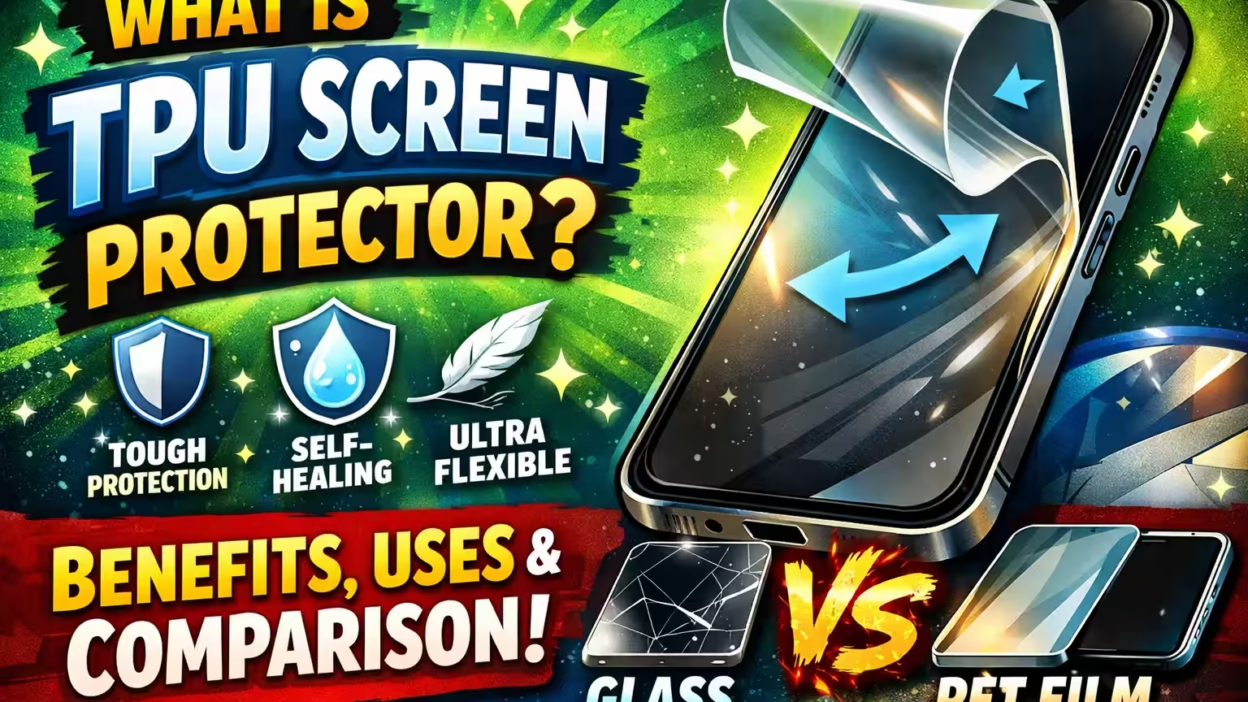
If you own a smartphone, you know how easy it is to get scratches or smudges on your screen. Many people search for ways to keep their devices looking new and clear. One product has become popular for this reason: the TPU screen protector. But what exactly is it, and is it the right choice for your device? In this guide, you’ll discover everything you need to know—what TPU is, how it compares to other protectors, how it works, and why it’s used. You’ll also learn tips for choosing, installing, and caring for a TPU screen protector. By the end, you’ll be confident in deciding if a TPU screen protector fits your needs.
What Is A Tpu Screen Protector?
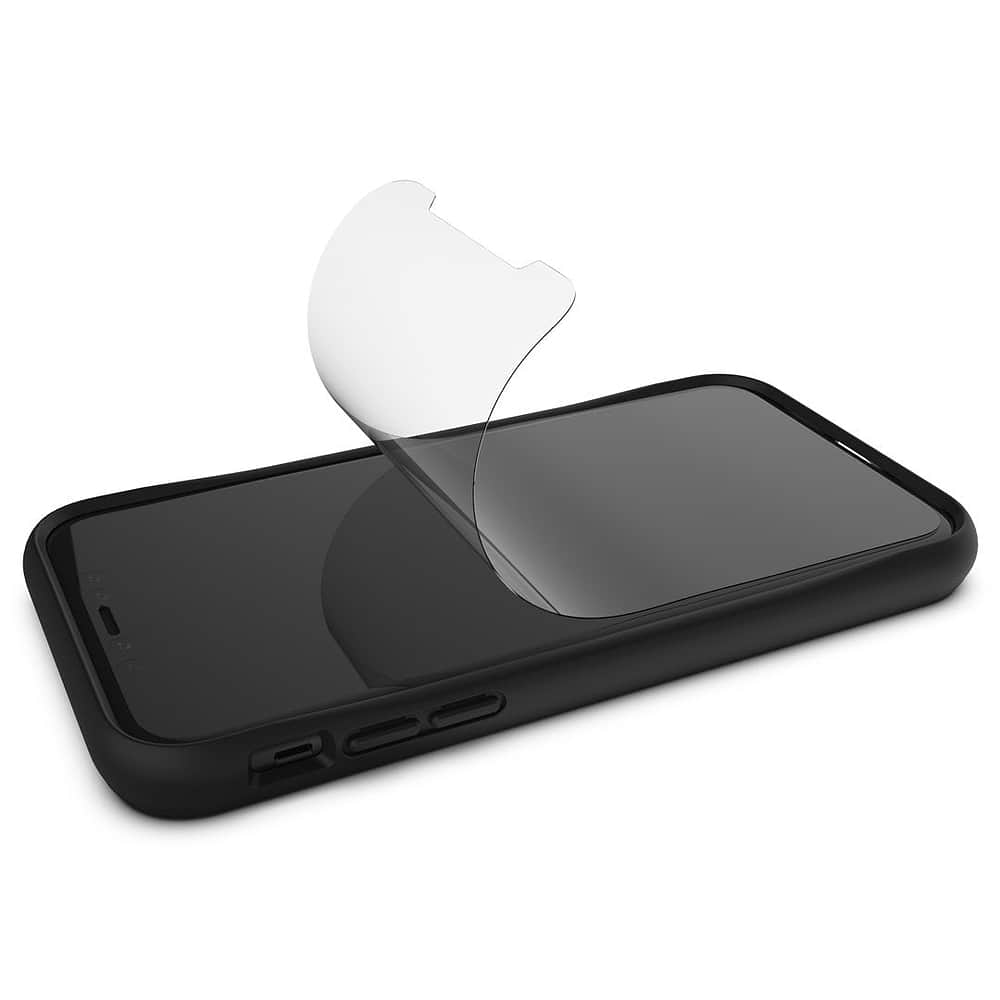
A TPU screen protector is a thin, flexible layer made from thermoplastic polyurethane (TPU). It is designed to cover and protect the screens of smartphones, tablets, and other devices. Unlike glass protectors, TPU is not rigid. Instead, it’s slightly soft, elastic, and can bend without breaking.
TPU screen protectors create a barrier between your device’s display and the outside world. They help absorb impacts, resist scratches, and reduce fingerprints. People choose TPU because it’s tough and can heal itself from minor scratches, making it a smart choice for everyday protection.
Key Features Of Tpu Material
TPU is a special plastic known for its flexibility and durability. Here are some important features:
- Elasticity: It stretches and returns to its original shape.
- Transparency: Allows your screen’s colors and brightness to shine through.
- Scratch resistance: Protects against everyday items like keys and coins.
- Self-healing: Minor scratches may disappear over time.
- Thinness: Usually less than 0.2mm thick, so it doesn’t change how your device feels.
TPU is used in many products beyond screen protectors, such as watch bands, cases, and even medical devices. This shows how safe and reliable the material is.
How Does A Tpu Screen Protector Work?
When you apply a TPU screen protector, it clings to the screen using a light adhesive. If you drop your phone or put it in a pocket with sharp objects, the protector absorbs some of the impact and keeps the glass underneath safe.
Its self-healing properties mean that small marks and scratches can fade away, keeping the protector looking clear for longer.
The History And Development Of Tpu Screen Protectors
TPU was first developed in the 1950s. At first, it was used in industrial applications because of its strength and flexibility. In the 2000s, as mobile devices became more popular, manufacturers began searching for better screen protection solutions. Glass protectors were common but could break or crack easily.
TPU’s flexibility and self-healing ability made it a strong alternative.
By the 2010s, TPU screen protectors had become widely available. Their popularity grew as phone screens became larger, curved, and more expensive to repair. Today, you can find TPU protectors for almost every device, including smartphones, tablets, watches, and cameras.

Types Of Screen Protectors: Tpu Vs. Others
It’s important to understand how TPU protectors compare to other types. Here’s a look at the main options:
1. Tempered Glass
Tempered glass protectors are popular because they feel like the original screen. They are made by heating glass and then cooling it quickly to make it stronger. These protectors are hard, smooth, and often thicker than TPU.
Pros: High scratch resistance, smooth touch, easy to clean.
Cons: Can crack or chip, less flexible, may not fit curved screens well.
2. Pet (polyethylene Terephthalate)
PET protectors are made from a thin, hard plastic. They are less flexible than TPU and don’t self-heal.
Pros: Cheap, light, basic scratch protection.
Cons: No self-healing, not very durable, limited impact protection.
3. Liquid Screen Protectors
Liquid protectors are applied by spreading a liquid on the screen, which hardens to form a thin layer.
Pros: Invisible, works on all shapes, fast application.
Cons: Weak scratch protection, no self-healing, can be hard to remove or replace.
Comparison Table: Types Of Screen Protectors
Here’s a side-by-side look at the main differences.
| Type | Material | Flexibility | Self-Healing | Scratch Resistance | Impact Protection | Thickness |
|---|---|---|---|---|---|---|
| TPU | Thermoplastic Polyurethane | High | Yes | Medium | Medium | Very Thin |
| Tempered Glass | Glass | Low | No | High | High | Thicker |
| PET | Polyethylene Terephthalate | Low | No | Low | Low | Very Thin |
| Liquid | Silicon Dioxide / Nano Liquid | Very High | No | Low | Low | Microscopic |
Why Use A Tpu Screen Protector?
People choose TPU screen protectors for many reasons. Here are some of the biggest benefits:
1. Flexible Fit
TPU can bend and stretch. This is great for phones with curved screens or edges. While glass protectors may leave gaps on curved displays, TPU covers the whole surface smoothly.
2. Self-healing Surface
Minor scratches and marks can vanish by themselves. For example, if you accidentally scratch the protector with your fingernail, the mark may disappear in a few hours. This keeps the screen looking new for longer.
3. Good Impact Absorption
While not as hard as glass, TPU can absorb shocks well. If you drop your device, the protector helps spread out the force, reducing the chance of cracks or chips.
4. Enhanced Grip
TPU is slightly sticky compared to glass. This can make your device less likely to slip out of your hand.
5. Clarity And Touch Sensitivity
High-quality TPU protectors are clear and don’t reduce the brightness or sharpness of your screen. You can also use touch gestures and fingerprint sensors without problems.
6. Lightweight And Thin
A TPU protector adds almost no weight or thickness. Your device feels as slim as before, which is important for many users.
7. Affordable Protection
TPU screen protectors usually cost less than glass versions. This makes them a good choice if you need to replace the protector often.
Non-Obvious Insight: TPU is better than glass for devices with in-screen fingerprint readers. Glass may interfere with sensor accuracy, but TPU is thin and flexible enough for smooth scanning.

How To Choose The Right Tpu Screen Protector
With so many brands and products available, picking the best TPU screen protector can be tricky. Here’s what to consider:
1. Compatibility
Make sure the protector is made for your exact device model. Even small differences in size or camera position can affect the fit.
2. Thickness
Most TPU protectors are under 0. 2mm thick. Thinner protectors are less visible but may offer less impact protection. Slightly thicker ones may be better for rough use.
3. Clarity And Transparency
Check the light transmission rating, usually above 95%. This means your screen will look as bright and clear as before.
4. Oleophobic Coating
A good TPU protector has an oleophobic (oil-repellent) coating. This keeps fingerprints and smudges away, making the screen easier to clean.
5. Installation Method
Some protectors use a “wet” install method, where you spray a solution before applying. Others are “dry” and stick directly. Wet installs allow for more adjustment, but dry installs are quicker.
6. Edge Coverage
Full-coverage TPU protectors wrap over curved edges for complete protection. Flat protectors may leave the sides exposed.
7. Brand Reputation
Choose brands with positive reviews and clear customer support. Some cheap, unknown brands may use low-quality material that yellows or peels over time.
Non-Obvious Insight: Some TPU protectors come with a special “bubble-free” adhesive. This makes installation easier, especially for beginners.
Installation: Step-by-step Guide
Installing a TPU screen protector takes a bit more care than glass protectors. Here’s how to get the best results:
Preparation
- Wash your hands to remove oil and dirt.
- Work in a dust-free area. Bathrooms after a hot shower are ideal, since steam traps dust.
- Clean the device screen with an alcohol wipe and dry with a microfiber cloth.
- Use a dust sticker to pick up any remaining particles.
Installation Steps
- Remove the backing from the TPU protector.
- If using a wet install, spray the included solution onto the sticky side and your fingers.
- Carefully align the protector with the screen. Start at one edge and slowly lay it down.
- Use a soft squeegee or card to push out bubbles and excess liquid.
- Wipe away extra solution with a dry cloth.
- Leave the device to dry for 8-24 hours. Do not use the device heavily during this time.
Tips For Success
- If you see bubbles, gently push them to the edge. Most will disappear within a day.
- For curved screens, use extra time to press the protector onto the edges.
- Don’t remove and reapply the protector multiple times—it can lose stickiness.
Example: Many people rush the drying process, which leads to poor results. Leaving your device alone for at least 12 hours ensures the protector bonds well and looks invisible.
Caring For Your Tpu Screen Protector
Once installed, a TPU protector doesn’t need much care. However, a few habits can keep it clear and long-lasting:
- Wipe the screen daily with a microfiber cloth to remove fingerprints.
- Avoid using harsh chemicals or alcohol, which can damage the coating.
- If you notice deep scratches or yellowing, replace the protector. Most last between 6–12 months, depending on use.
Practical Tip: Store extra protectors flat and in a cool, dry place. Heat and humidity can warp the TPU material before use.
Common Problems And Solutions
TPU screen protectors are easy to use, but some issues can happen. Here’s how to fix them:
1. Bubbles That Won’t Go Away
Most bubbles disappear within 24 hours. If not, lift the protector gently at the bubble and reapply, using a squeegee to push out air.
2. Peeling Edges
This often happens with curved screens. Press down with a warm, dry cloth for a few seconds. If it keeps peeling, the protector may be too small or damaged.
3. Yellowing
Low-quality TPU can turn yellow over time, especially in sunlight. Choose a protector with UV-resistant coating to avoid this.
4. Loss Of Stickiness
Once removed, a TPU protector rarely sticks well again. It’s best to use a new one.
5. Reduced Touch Sensitivity
If your screen feels less responsive, the protector might be too thick or installed incorrectly. Remove and replace if needed.
Tpu Screen Protector: Real-world Performance
To understand how a TPU protector works day-to-day, consider these examples:
- Drop Protection: A user drops their phone from waist height onto concrete. The screen is unharmed, and only the protector shows a small mark, which fades after a few hours.
- Scratch Resistance: Carrying a phone with keys in a pocket leaves a faint line. The line disappears by the next morning, thanks to self-healing.
- Curved Display: A Samsung Galaxy S22 Ultra owner finds TPU is the only protector that covers the entire curved edge, compared to glass protectors that stop at the curve.
Cost And Value Comparison
How does TPU compare in price and value to other protectors? See the breakdown below.
| Type | Typical Price (USD) | Replacement Frequency | Value for Money |
|---|---|---|---|
| TPU | $8–$20 | 6–12 months | High |
| Tempered Glass | $10–$25 | 6–12 months or when cracked | Medium–High |
| PET | $5–$15 | 3–6 months | Low |
| Liquid | $15–$30 | 3–12 months | Medium |
This shows that TPU offers a strong balance of price, durability, and performance.
Environmental Impact And Safety
People often wonder if TPU is safe and eco-friendly. Here’s what you need to know:
- Non-toxic: TPU is considered safe for skin contact and daily use. It’s often used in medical and baby products.
- Recyclable: While not biodegradable, TPU can be recycled in facilities that accept specialty plastics.
- Lower Waste: Because TPU protectors last longer and are less likely to crack than glass, you may use fewer replacements over time.
One non-obvious point: Some manufacturers use recycled TPU to make their protectors, reducing the environmental footprint.
Who Should Use A Tpu Screen Protector?
TPU screen protectors are a smart choice for:
- Owners of curved-screen phones (Samsung Edge series, newer OnePlus models, etc.)
- People who want self-healing protection for everyday scratches
- Users who need to keep in-screen fingerprint readers working smoothly
- Anyone who prefers a thin, flexible, lightweight cover
- Parents buying for kids’ devices, since TPU is less likely to shatter
However, if you need the hardest scratch resistance (for example, working in construction), tempered glass may be better.
Myths And Misconceptions About Tpu Screen Protectors
There are several myths about TPU protectors. Let’s clear them up:
1. “tpu Is Too Soft To Protect A Screen.”
In reality, TPU absorbs shocks and prevents scratches well. It’s not as hard as glass, but it’s tougher than it looks.
2. “they Always Turn Yellow.”
Good-quality TPU with UV protection stays clear for months. Cheap, unbranded options may yellow.
3. “you Can Use The Same Protector Again And Again.”
TPU loses its stickiness once removed. Always use a fresh protector for best results.
4. “they Reduce Screen Quality.”
Modern TPU is almost invisible and doesn’t affect brightness or color unless it’s dirty or scratched.
5. “only Flat Screens Can Be Protected.”
TPU is actually better than glass for curved screens and devices with unusual shapes.
Top Brands Offering Tpu Screen Protectors
If you want to buy a TPU screen protector, consider these well-known brands:
- ZAGG (InvisibleShield): Known for high-quality materials and self-healing tech.
- IQ Shield: Popular for affordable, clear, and easy-to-install protectors.
- ArmorSuit: Offers military-grade protection with lifetime warranties.
- Skinomi: Specializes in wet install TPU, great for curved screens.
- Spigen NeoFlex: Trusted brand with smooth touch and high clarity.
Always check reviews and buy from reputable retailers to avoid counterfeits.
When Should You Replace A Tpu Screen Protector?
Even the best protector wears out. Replace your TPU screen protector if:
- It has deep scratches or dents that do not heal.
- The edges start to peel or collect dust.
- It turns yellow or becomes hazy.
- Touch sensitivity drops noticeably.
- The adhesive loses strength and bubbles appear.
Most users find they need a new protector every 6–12 months, depending on use.
Tpu In Other Devices
While phones are the most common, TPU protectors are also used for:
- Tablets: IPads, Galaxy Tabs, and e-readers
- Smartwatches: Apple Watch, Samsung Galaxy Watch
- Cameras: LCD displays on DSLRs and GoPros
- Gaming Devices: Nintendo Switch, Steam Deck
Their flexibility and self-healing nature make them a good fit for any screen that’s handled often.
Comparing Tpu To Tempered Glass: Which Is Better?
People often ask which is best: TPU or glass. The answer depends on your needs.
| Feature | TPU | Tempered Glass |
|---|---|---|
| Flexibility | High | Low |
| Self-Healing | Yes | No |
| Scratch Resistance | Medium | High |
| Impact Protection | Medium | High |
| Thickness | 0.1–0.2 mm | 0.3–0.5 mm |
| Fingerprint Sensor Friendly | Yes | Sometimes |
| Works on Curved Screens | Yes | No/Partial |
| Price | Lower | Higher |
Tip: If you often drop your phone, glass may protect better against single hard impacts. If you want invisible, all-around coverage (especially for curved or expensive screens), TPU is a better fit.
For more details on the science behind screen protection, visit the Wikipedia page on screen protectors.
Frequently Asked Questions
What Is The Main Difference Between Tpu And Tempered Glass Screen Protectors?
The biggest difference is flexibility. TPU is soft, bendable, and self-healing, while tempered glass is hard and rigid. TPU fits curved screens and can recover from small scratches, but glass is more resistant to deep scratches and cracks.
How Long Does A Tpu Screen Protector Last?
Most TPU protectors last between 6 and 12 months, depending on use and quality. Heavy users or people who carry their phone with keys may need to replace it sooner. Always check for yellowing, peeling, or loss of clarity.
Does A Tpu Screen Protector Affect Touch Sensitivity?
A high-quality TPU protector should not affect touch sensitivity. In fact, it works well with in-screen fingerprint readers and supports gestures. If you notice reduced sensitivity, the protector may be too thick or installed incorrectly.
Can I Use A Tpu Screen Protector With A Phone Case?
Yes, TPU protectors are very thin and work with almost all cases. Just make sure the protector doesn’t extend beyond the screen, or the case may lift it at the edges.
Is A Tpu Screen Protector Safe For Children’s Devices?
Absolutely. TPU is non-toxic, flexible, and doesn’t shatter. This makes it a great choice for tablets and phones used by children.
Every device owner wants to keep their screens looking new and clear. Understanding what a TPU screen protector is, how it works, and how it compares to other options helps you make a smart, confident choice. With the right protector, your device stays safe, stylish, and ready for everyday life.


