
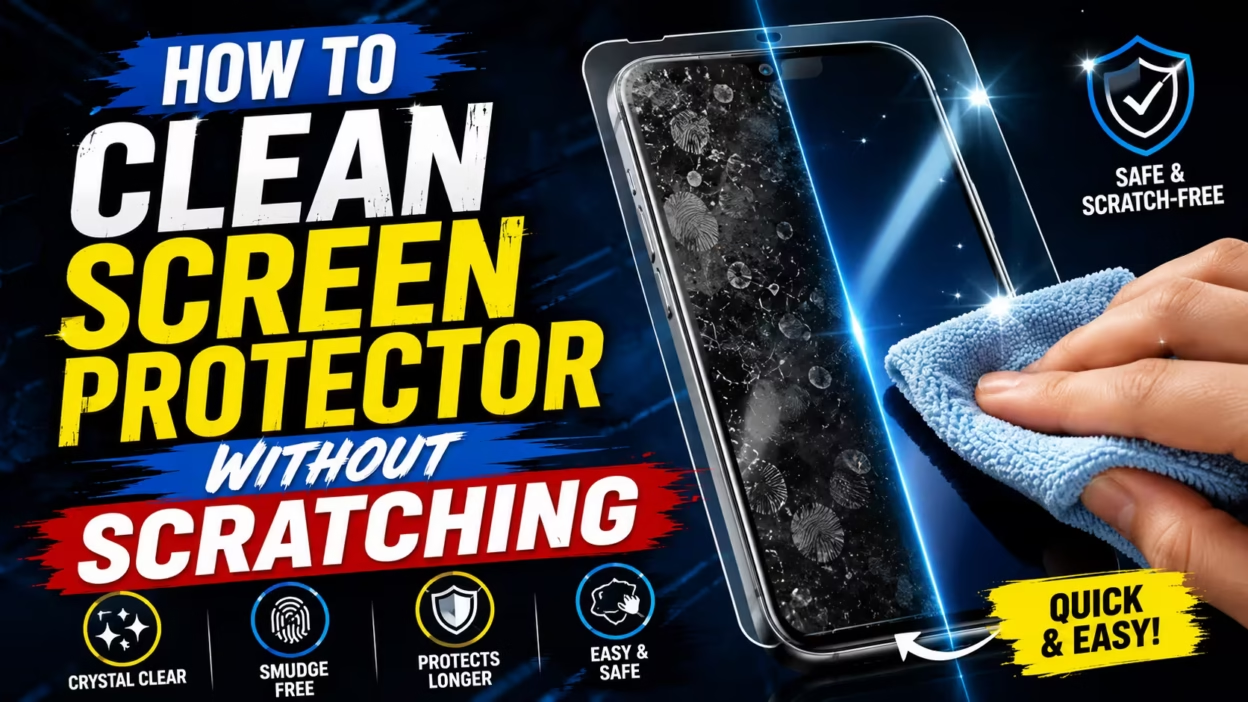

Keeping your screen clear is key for both looks and touch sensitivity. A dirty screen can ruin your day, and cleaning it wrong can harm your device. It’s important to know how to clean screen protector without scratching it.
We’ll show you how to keep your device looking pristine without causing damage. By using these expert tips, you can make your screen last longer. Taking good care of it prevents damage and keeps your tech looking new for years.
Key Takeaways
- Use only microfiber cloths to avoid abrasive damage.
- Avoid harsh household chemicals like ammonia or bleach.
- Apply cleaning solutions to the cloth, never directly on the device.
- Gentle circular motions are most effective for removing stubborn oils.
- Regular maintenance improves touch sensitivity and visual clarity.
Understanding Your Screen Protector Material
Before you clean your screen, know what it’s made of. This is key to avoid damaging it. How to clean tempered glass screen protector at home is different from cleaning plastic.
Distinguishing Between Tempered Glass and Plastic Film
In the anti-fingerprint screen protector usa market, you have two main choices: tempered glass and plastic film. Tempered glass is tough and feels natural. Plastic film is thinner and can scratch easily.
| Feature | Tempered Glass | Plastic Film |
|---|---|---|
| Scratch Resistance | High | Low |
| Touch Sensitivity | Excellent | Good |
| Cleaning Ease | Very Easy | Moderate |
| Durability | Long-lasting | Short-term |
The Role of the Oleophobic Coating
Many protectors have an oleophobic coating. It keeps your screen clean by repelling oils. Taking care of this coating is important because harsh cleaners can damage it.
“The longevity of your screen’s clarity depends entirely on how you treat the surface coating during routine maintenance.”
When this coating wears off, cleaning fingerprints becomes harder. Gentle cleaning habits help keep your screen’s surface intact. Always use soft materials for cleaning.
Essential Tools for Safe Cleaning
To get a clear display, you need the right cleaning tools. The wrong tools can cause tiny scratches on your device. By choosing the best way to clean phone screen protector surfaces, you keep your device looking new for years.
Selecting the Best Microfiber Cloth for Screen Protector Cleaning
The best microfiber cloth for screen protector cleaning is soft and doesn’t leave lint. These cloths catch dust and oils, not spreading them. Learning how to clean screen protector with microfiber cloth helps avoid scratches that dull the screen.
Make sure your cloth is clean before you use it. A dirty cloth can scratch your screen. Wash your microfiber cloths with mild soap and let them air dry to keep them working well.
Why You Should Avoid Paper Towels and Harsh Fabrics
Many people use paper towels for quick cleaning. But, you should avoid them because they can scratch your screen. Paper towels have wood pulp fibers that can harm glass or plastic.
Also, don’t use tissues, napkins, or rough clothes like denim. They can leave lint and cause swirl marks on your screen. Stick to specialized cleaning tools to keep your device safe.
Recommended Cleaning Solutions for Phones
For tough smudges, you need the best screen cleaning solution for phones. Use a gentle, non-abrasive cleaner to how to clean phone screen safely. Avoid cleaners with ammonia or bleach, as they can damage the screen.
Instead, use electronics cleaners or a mix of distilled water and mild dish soap. Always apply the liquid to the cloth first, not directly to the screen. This prevents moisture from getting into the device ports.
| Cleaning Tool | Safety Level | Effectiveness | Recommended Use |
|---|---|---|---|
| Microfiber Cloth | High | Excellent | Daily Maintenance |
| Paper Towel | Low | Moderate | Not Recommended |
| Distilled Water | High | Good | Stubborn Smudges |
| Harsh Chemicals | Very Low | High | Avoid Completely |
How to Clean Screen Protector Without Scratching
Keeping your screen protector clean is easy if you set up the right space. Many people fear damaging their device, but learning how to clean screen protector without removing it is safe and effective. By following a few steps, you can keep your screen looking great for years.
Preparing Your Workspace for Dust-Free Cleaning
Start by finding a bright, flat area. Good lighting is essential to spot dust that could scratch your screen. Make sure to wash and dry your hands well to avoid oils on the screen.
Step-by-Step Process for Removing Surface Smudges
First, use a clean, dry microfiber cloth to wipe away dust. Once dust is gone, use a light, circular motion to remove oils from the screen. This helps avoid scratching the glass.
If smudges remain, dampen a cloth corner with distilled water. This method is great for how to clean phone screen protector smudges without harsh chemicals. Be gentle to avoid trapping grit.
Techniques for Cleaning Without Leaving Streaks
To get a streak-free finish, use a fresh, dry cloth for the final touch. This removes any leftover moisture or residue from the first clean.
For the final drying, use long, steady strokes from one side to the other. This avoids water spots, leaving your screen perfectly clear. Keeping consistent is key to a clean display every day.
Handling Stubborn Oily Residue and Fingerprints

Keeping your screen clear is key. Learning how to clean oily screen protector surfaces helps. It makes your device look and feel new again.
Safe Use of Distilled Water vs Tap Water
Choosing the right liquid for cleaning is important. Distilled water vs tap water phone cleaning shows distilled water is better. It doesn’t have minerals found in tap water.
Tap water has calcium and magnesium. These can leave deposits that scratch or cloud your screen.
Cleaning Screen Protector with Dish Soap Solutions
For tough grease, a mild soap solution works well. When using cleaning screen protector with dish soap, dilute it a lot. Just a tiny drop in a cup of distilled water is enough.
“Cleanliness is the hallmark of a well-maintained device, ensuring that your technology remains as functional as it is beautiful.”
Soak a soft microfiber cloth in the solution and squeeze it out. Then, wipe the screen in circles to remove oils without getting it too wet.
Removing Oily Buildup Without Damaging the Coating
Your screen protector has a special coating to repel oils. To keep it, avoid harsh chemicals and rough scrubbing. These can damage the coating.
When cleaning, use a light touch. This keeps the surface smooth and ready for daily use.
Addressing Dust Under the Screen Protector
Debris under the screen can ruin a display’s look quickly. Many worry about cleaning under the screen protector, fearing damage. But, with the right steps, you can make your screen look new again.
Using Compressed Air for Debris Removal
For a particle, compressed air for screen cleaning works well. Hold the can upright to avoid liquid. Use short bursts to remove dust without harming ports or speakers.
“Precision is the difference between a clean screen and a permanent smudge.”
Utilizing Screen Protector Dust Removal Stickers
A screen protector dust removal sticker helps with stuck debris. Lift the protector’s corner with a thin card. Then, dab the sticker on the back to lift the dust.
Don’t touch the adhesive with your fingers, as oils can cause bubbles. Patience is key to keep the surface clean. After removing the dust, slowly put the protector back.
When to Remove and Reinstall the Protector
Knowing how to reinstall the screen protector is useful. But, if the adhesive is weak or the edges are frayed, it might not work. Check the adhesive’s condition before removing.
If the protector is damaged or dust is widespread, it’s best to replace it. A new installation offers the best protection and clarity. Clean in a dust-free area, like a bathroom after a shower, to avoid new particles.
Can You Use Alcohol on Your Screen Protector

Many people wonder if they can use isopropyl alcohol to clean screen protectors safely. Sanitizing is important, but how your screen protector reacts to liquids matters a lot.
Does Alcohol Damage Screen Protector Coating
It’s a big worry if alcohol damages screen protector coating over time. Good screen protectors have a layer that keeps oils and fingerprints away.
Using strong alcohol too often can wear away this layer. When it’s gone, your screen gets smudgy and feels rougher.
Guidelines for Using Isopropyl Alcohol Safely
If you need to sanitize, it’s key to know how to clean with rubbing alcohol right. Don’t put pure, strong alcohol on your screen.
Use a mix that’s 70% isopropyl alcohol or less. Dampen a microfiber cloth with it, not spray the phone. This stops liquid from getting into the edges.
Alternatives to Rubbing Alcohol for Sanitization
For everyday cleaning, there are gentler ways. A mix of distilled water and a bit of mild dish soap works well.
This combo cleans off oils and dirt without harming your screen. Using these safer options keeps your screen clear and working well for longer.
Troubleshooting Common Screen Protector Issues
Even the most carefully applied screen protectors can sometimes have problems. These issues might seem like they can’t be fixed, but most can be solved easily. Knowing how to fix these small problems will help you keep your screen looking crystal-clear without needing a new one.
How to Clean Screen Protector Bubbles
When you see air pockets under the screen, you can often fix them without taking off the protector. To clean screen protector bubbles, start with a rigid plastic card, like a credit card wrapped in a soft cloth. Press from the center of the bubble outwards towards the edge of your device.
This method helps the air escape through the side. Be gentle to avoid bending the material or causing micro-scratches. If the bubble doesn’t go away, it might be due to dust that needs a deeper clean.
How to Clean Sticky Side of Screen Protector
At times, you might need to remove the protector to clean it or reapply it. If you’re wondering how to clean sticky side of screen protector, be very gentle. Use clear adhesive tape to gently pick up lint and dust.
Don’t use water or cleaners on the sticky side, as it can damage the adhesive. Clean the surface, then align and apply the protector again. Patience is key to get a smooth, bubble-free finish.
Fixing Foggy Screen Protector Appearance
A cloudy or hazy screen can be due to moisture or the adhesive breaking down. To clean foggy screen protector, start by wiping the outside with a damp microfiber cloth. If the fog doesn’t go away, it might mean the adhesive is failing.
If the fog is from moisture, try drying the device in a well-ventilated area for a few hours. If the haze stays, it might be time for a new protector. Keeping your screen clean and dry daily can prevent these problems.
Device-Specific Cleaning Considerations

Every smartphone needs a special care when keeping its screen protector clean. The basic cleaning steps are the same, but your phone’s design matters. You must adjust your cleaning method to avoid damaging the screen protector.
How to Clean Tempered Glass Protector iPhone Models
When cleaning tempered glass protector iPhone models, focus on the edges. Apple phones have tight spaces that dust can get stuck in. Use a dry microfiber cloth to wipe from the middle outwards, avoiding the edges.
For tough smudges, dampen your cloth with distilled water but don’t spray the phone. Precision is key to keep the seal and prevent the glass from lifting. Clean in circular motions to remove oils without causing damage.
How to Clean Screen Protector Samsung Galaxy Devices
Cleaning screen protector Samsung Galaxy devices needs extra care because of their curved screens. These screens have special adhesives that can be damaged by too much moisture or hard wiping. Be gentle on the curved edges to avoid damage.
“The secret to a long-lasting screen protector is consistency in care, not how hard you clean.”
To care for these displays, use a light touch and make sure your cloth is clean. If the edges start to lift, stop cleaning and let it dry before trying to fix it. Keeping the surface clean of oils helps prevent the protector from peeling off.
Best Practices for Curved Edge Protectors
Curved edge protectors need a gentle touch to avoid damage. Follow these tips to keep your screen clear and bubble-free:
- Avoid liquid saturation: Don’t spray cleaning solutions directly on the screen, as it can get under the edges.
- Use soft materials: Always use a high-quality, lint-free microfiber cloth to avoid scratching the surface.
- Gentle pressure: Use minimal force when wiping the edges to prevent the adhesive from weakening.
- Regular maintenance: Clean your screen often to prevent oils from building up and causing the edges to lose their grip.
Maintaining Your Screen Protector for Longevity
Keeping your device display clean is key to its long-term look. A regular cleaning routine protects your investment and keeps the screen responsive. This way, your device stays in top shape for years.
How Often Should You Clean Your Screen Protector
How often to clean your screen depends on how much you use it. For most, a daily wipe is enough to remove oils and dust.
If you’re in a dusty or wet place, clean it more often. Having a microfiber cloth handy makes cleaning easy and quick.
Screen Protector Maintenance Tips for Daily Use
Good screen protector maintenance tips can make it last longer. Always clean your hands before touching your device to avoid dirt and oils.
Don’t put your phone face-down on rough surfaces to avoid scratches. A protective case with a lip also helps keep the screen safe.
How to Keep Screen Protector Clear and Scratch-Free
To keep your screen smudge-free, clean it gently. Avoid pushing dust into the screen to prevent scratches.
Regular cleaning keeps your screen clear and responsive. Use the table below to plan your cleaning schedule.
| Cleaning Frequency | Action Required | Recommended Tool |
|---|---|---|
| Daily | Light wipe to remove oils | Dry microfiber cloth |
| Weekly | Deep clean for smudges | Damp cloth with distilled water |
| Monthly | Inspect edges for lifting | Soft brush for dust removal |
When It Is Time to Replace Your Screen Protector

Even the toughest screen protectors have a limited life. Knowing when to replace screen protector is key to keeping your device looking good and safe.
Identifying Deep Scratches vs Surface Smudges
It’s easy to mix up small smudges with serious damage. If a mark doesn’t go away with a soft cloth, it might be a scratch. Trying to fix scratched screen protector issues can be tricky, but deep scratches can harm the glass.
Deeper scratches that catch your fingernail are hard to fix. At this point, the screen protector can’t protect your screen anymore.
Signs of Adhesive Failure and Lifting Edges
When the adhesive starts to fail, it’s a sign your screen protector is not working. If the edges lift or trap dust, it’s time to worry. This can lead to scratches on your actual screen.
When you decide it’s time for a new one, learn how to remove screen protector without scratching screen. Use a thin, plastic card to carefully lift a corner. Move slowly to avoid damaging the glass.
Choosing the Best Screen Protector for 2025
As tech gets better, so do screen protectors. For the best screen protector for iphone 2025, look for high-quality tempered glass and oleophobic coatings. These materials provide clear protection and stand up to daily use.
| Condition | Severity | Recommended Action |
|---|---|---|
| Surface Smudges | Low | Clean with microfiber |
| Light Scratches | Medium | Monitor for growth |
| Deep Gouges | High | Replace immediately |
| Lifting Edges | High | Replace immediately |
Professional Tips for Screen Protector Care
Keeping your device display in top shape is all about being proactive. It’s not just about cleaning; it’s about preventing damage before it happens. By following a detailed screen protector care guide, you can keep your screen looking new for years.
Avoiding Common Mistakes That Cause Scratches
Many people accidentally damage their screens by using the wrong cleaning tools. Avoid using paper towels or rough fabrics because they can scratch your screen. Always use gentle, circular motions to clean your screen, not harsh scrubbing.
Also, don’t use harsh chemicals that can damage the protective layer. Stick to these screen protector cleaning tips no damage to keep your screen clear and sensitive. Regular cleaning is key to avoiding damage over time.
Using Screen Protector Cleaning Kits Effectively
Buying a good screen protector cleaning kit usa gives you the tools you need for safe cleaning. These kits have special cloths and cleaners made for glass and plastic. They help you clean without leaving streaks or residue.
Protecting Your Device Investment
Your smartphone is a big investment, and taking care of it keeps its value. Regular cleaning stops grime from building up, which can damage the screen. By caring for your device, you also protect the screen from accidents and daily wear.
| Cleaning Method | Effectiveness | Risk Level |
|---|---|---|
| Microfiber Cloth | High | Very Low |
| Distilled Water | Medium | Low |
| Paper Towels | Low | High |
| Professional Kit | Excellent | None |
Conclusion
Keeping your screen protector clean is key to keeping your phone looking and working great. Simple, gentle care is the best way to protect your investment.
You now know how to keep your screen looking new without damaging it. Stay away from harsh chemicals and rough materials. This keeps your tempered glass or plastic film in perfect shape for years.
Small habits can make a big difference in how long your accessories last. Regular cleaning stops oils and debris from causing damage or peeling edges.
We hope these tips help you take care of your device with confidence. Share your own screen care tips or ask questions about products from Spigen or ZAGG. Taking care of your tech keeps it running smoothly every day.
FAQ
How to clean screen protector without scratching the surface?
To clean your screen protector without scratching, use a high-quality, lint-free microfiber cloth. Avoid paper towels, tissues, or old rags because they can scratch. Clean gently with circular motions, not heavy pressure.
How to clean tempered glass screen protector at home using household items?
For a tempered glass screen protector, mix distilled water with a tiny drop of mild dish soap. Dampen a microfiber cloth slightly. Wipe the surface until it’s clear.
Can I use isopropyl alcohol to clean screen protector surfaces safely?
Yes, isopropyl alcohol is safe for cleaning screen protectors if it’s 70% concentration or lower. But, be careful as rubbing alcohol can damage the oleophobic coating. For daily cleaning, use distilled water instead.
How to remove fingerprints from screen protector without leaving streaks?
To remove fingerprints without streaks, use a dry microfiber cloth. If smudges persist, lightly dampen the cloth with a professional cleaning solution. Wipe in one direction for a streak-free finish.
How to clean sticky side of screen protector if it has collected dust?
To clean the sticky side, use a dust removal sticker or clear Scotch tape. Gently dab to remove lint and debris. If it’s heavily soiled, rinse with lukewarm distilled water and a tiny drop of dish soap. Let it air dry before reinstallation.
How to clean under screen protector dust without removing the whole thing?
To clean under the screen protector, lift the nearest corner with a thin plastic tool. Use compressed air to blow out the dust, or slide a dust removal sticker under the edge to grab the debris before pressing the protector back down.
How to clean screen protector bubbles and foggy spots?
To clean bubbles, use a credit card or a squeegee wrapped in a microfiber cloth. For foggy spots, use a professional cleaning kit or replace the screen protector if necessary.
How to clean phone screen protector smudges on curved displays like the Samsung Galaxy?
When cleaning curved screens, wipe from the center outward. This prevents lifting the edges where dust accumulates. Keeping the oleophobic coating in good condition is essential for touch sensitivity.
How often should you clean your screen protector to ensure longevity?
Wipe your screen protector with a dry cloth daily. For a deeper clean, do it once a week. Regular cleaning prevents grime buildup and keeps your screen clear.
How to fix scratched screen protector or determine if it needs replacement?
Minor scuffs can be buffed out with a polishing cloth. But, deep scratches can’t be fixed. If they affect your view, replace your screen protector to protect your phone’s screen.
How to remove screen protector without scratching screen during the process?
To remove without scratching, use your fingernail or a thin plastic tool to lift one corner. Once the seal is broken, peel it back slowly and steadily. This prevents damage to your screen.
What are the best screen protector maintenance tips for daily use?
Keep your phone in a pocket without keys, use a cleaning kit regularly, and avoid harsh chemicals. Use compressed air to clean ports and edges. These tips help keep your screen protector clear and prevent damage.


